Built in-house by UltraTech
Every branch's cameras, on one screen
Businesses with more than one location kept asking for the same thing: see every site at once, without juggling apps and logins. The software on the market didn't do it well, so we built our own — UltraTech NVR Viewer.
Quick answer
UltraTech Kuwait's NVR Viewer puts the CCTV cameras from all of a business's locations in Kuwait on one screen — every branch, every major camera brand — with live view, playback and export in one place. We install it as part of CCTV installation in Kuwait, connect each site securely, and keep it running under a maintenance contract.
Last updated:
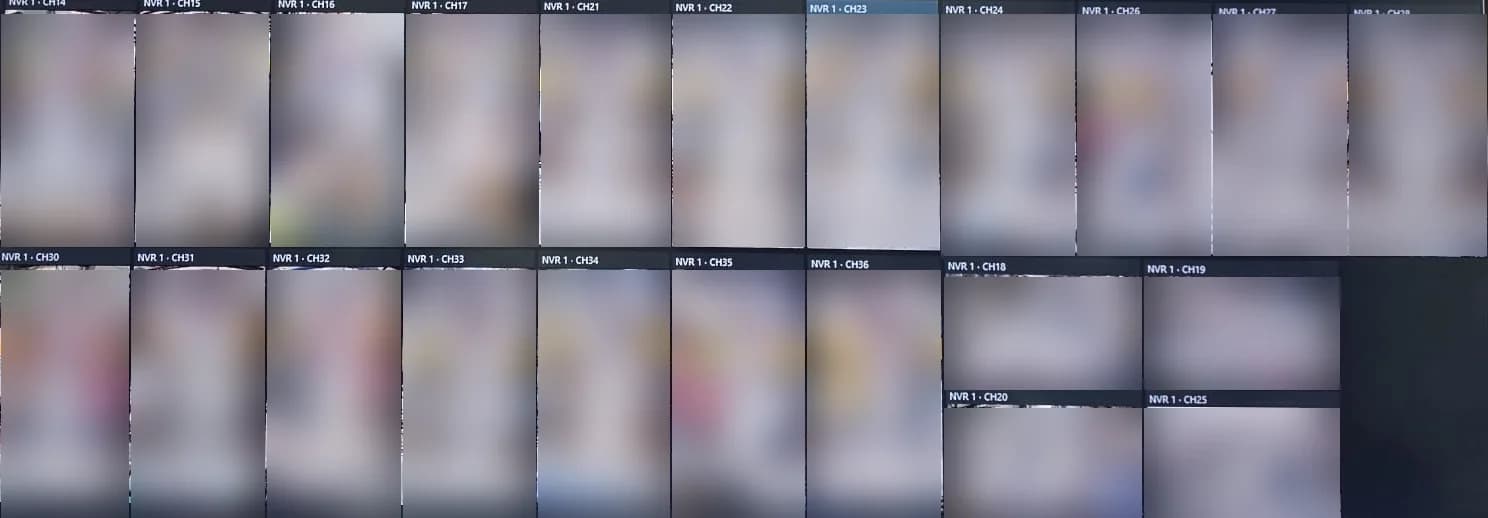
Running live at a customer's warehouse
The multi-location problem
A single shop is easy. It's the second, third and tenth location where watching your own business gets hard.
What UltraTech NVR Viewer does
Every location on one wall
Add the recorder at each branch, warehouse or office once. Their cameras then sit together on one screen, grouped by site.
Works with what you already own
Uniview, Hikvision, Dahua, Axis, Hanwha and other major brands side by side — no need to replace a branch's system to bring it in.
Smooth live video
Full-motion live view across large walls, built to stay smooth on an ordinary office PC, not only on a high-end workstation.
Layouts that fit themselves
Choose a grid or let it fit every camera on one page. Pages, a full-screen video-wall mode, and double-click any camera to enlarge it.
Your names, your cameras
Rename cameras to what they cover — "Salmiya cashier", not "Channel 14" — and tick which cameras appear on the wall.
Playback and export in one place
Pick a camera and a time, play it back, take a snapshot or save a clip to hand over — without logging into each branch separately.
Pan-tilt-zoom control
Steer moving cameras and save positions such as "gate" or "loading bay" to jump to in one click.
A protected activity log
The system keeps its own locked record of activity, which only an administrator can open.
Installs or runs portable
A normal installer for the control-room PC, or a portable copy that runs from a USB stick on a manager's laptop.
How we get you there
- 1
Look at every site
We list the recorders, brands and cameras at each location and agree which ones need to be seen from where.
- 2
Connect the branches safely
Each site is linked to the monitoring point securely — not by leaving recorders open on the internet.
- 3
Set up the viewing point
We install UltraTech NVR Viewer on the control-room PC or video wall, name the cameras and arrange the layouts with your team.
- 4
Keep it running
Updates and checks come under a maintenance contract, so the wall is still complete months later.
How the branches get connected
The viewer is one part of the answer. The other is getting every site's video to the monitoring point reliably and privately. We pick the route that suits each location.
A dedicated internet data link
A business line set aside for the cameras, so video from a branch never competes with the shop's card machines or office internet.
Secure private tunnels
Each site joins a private, encrypted network over the internet it already has. Recorders are never left open to the public internet, and only the monitoring point can reach them.
5G where there's no line
A warehouse, construction site or new branch without a fixed line can join over business 5G until — or instead of — a cable arriving.
The tunnels run on the same business firewalls we install to protect branch networks, and remote sites can use 5G business internet. Already watching every site with the manufacturer's own software? These connections work with that too — the viewer is optional, the private network is not.
Need it to do something only your business needs?
Because the viewer is our own software, it isn't frozen the way a manufacturer's app is. We add features, screens and reports around how a specific operation actually runs — a head-office view per region, a layout per shift supervisor, a link into another system you already use.
That custom coding is the same work our software team does every day; to see the wider range of what we build to order, visit Ultra Systems, our custom software development division.
- ✓ Custom layouts and views for each role or region
- ✓ Features added for your specific workflow
- ✓ Links into systems you already run
- ✓ Branded for your organisation
Questions
Can I see cameras from all my branches on one screen?
Yes. UltraTech NVR Viewer, software UltraTech Kuwait built in-house, brings the cameras from every location's recorder onto one screen, grouped by site, with live view, playback and export in the same place.
Our branches use different camera brands. Does that matter?
No. The viewer works with Uniview, Hikvision, Dahua, Axis, Hanwha and other major brands at the same time, so a branch can keep its existing system.
Why not just use the manufacturer's free app?
Free apps are built around one recorder and one brand at a time. They work well for a single shop, but businesses with several locations end up switching between sites and logins, and large walls often stutter. That gap is why we built our own.
How are the branches connected to the monitoring point?
Either over a dedicated internet data link set aside for the cameras, or through secure private tunnels over the internet each site already has, with business 5G for locations that have no fixed line. Recorders are never left open to the public internet.
Do we need a powerful computer?
No. The viewer was built to keep live video smooth on an ordinary office PC. For very large walls we size the PC and screens with you before installing.
Can it be changed to fit how our business works?
Yes. Because the software is ours, we can add features, reports or integrations for a specific operation, which is not possible with a manufacturer's app.
See all your locations at once
Tell us how many sites you have and what's installed at each. We'll show you the viewer and what it takes to bring them together.