I Combined Ooredoo, Zain and stc on One Firewall: Here Is What Happened
I joined Ooredoo, Zain and stc lines on my own UltraTech firewall in Kuwait and reached about 2 Gbps down. Real results, VPN tests and gaming routes.
In this article
The short answer
Yes, you can combine Ooredoo, Zain and stc in Kuwait on one firewall. In my own test, three lines that each gave about 400–700 Mbps download and 100–200 Mbps upload added up to roughly 2,000 Mbps down and 400 Mbps up. This is what I measured myself, on my own setup, and this post explains how I got there.Why I tried it
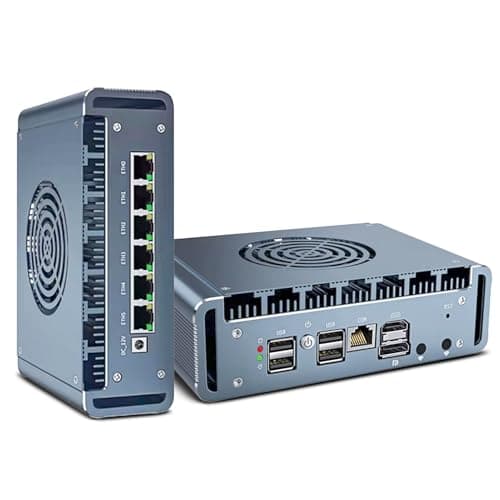
Every operator in Kuwait has good days and bad days. One line slows down in the evening, another has a bad route to a game server, a third drops for a minute. I wanted to see what happens when you stop depending on one operator and let a firewall use all of them at once.I built the test around the UltraTech firewall, the firewall we make at UltraTech Kuwait, and connected three separate lines to it: Ooredoo, Zain and stc.
The setup
I ran this test on 8 August 2026 at my own site in Ahmadi, Kuwait.- Three operators: Ooredoo, Zain and stc, each on its own line.
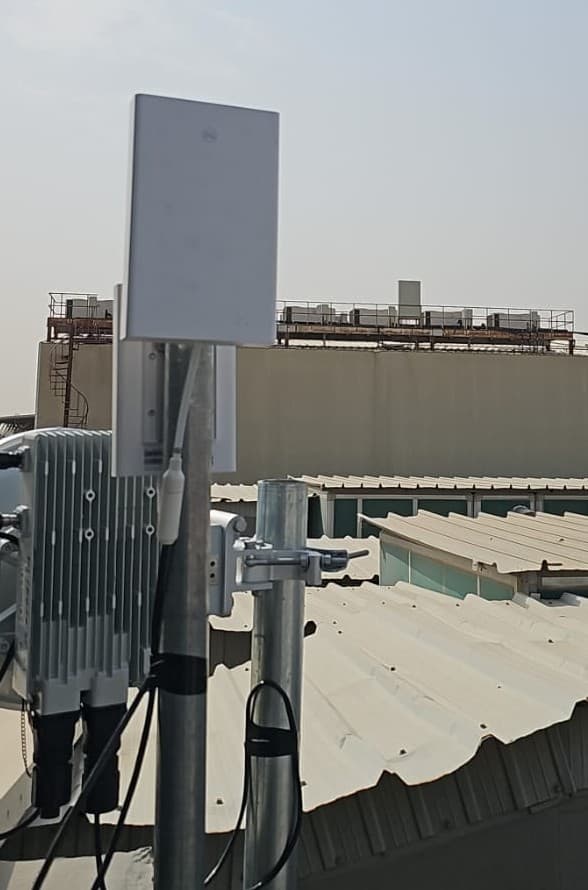
- Each line on its own Zowee 5.5G outdoor router (MAX 6), built on Huawei hardware and officially unlocked, so it works with any operator's SIM, fixed outside where the signal is best. This is the reason the speeds stayed steady and the ping stayed low: the signal does not depend on a router sitting behind a wall.
- One UltraTech firewall receiving all three lines and sharing the traffic between them.
The result
| Download | Upload | |
|---|---|---|
| Each line alone | about 400–700 Mbps | about 100–200 Mbps |
| All three together | about 2,000 Mbps | about 400 Mbps |
I measured the speeds with Speedtest.net, and I also ran several downloads at the same time. Every test used all three lines. Nothing stalled and nothing errored out.
Handling many connections without drops
Combining lines is the easy part. The hard part is keeping every connection stable when hundreds of them open at once. I tuned the firewall's connection handling so that sessions are shared across the lines cleanly, and nothing dropped or failed during my tests. This tuning made the difference between "three lines on paper" and "one fast, steady connection in practice".VPN over three lines
I also tested a VPN through the same setup. It worked very well: downloads through the VPN reached almost 2 Gbps, close to what I saw without it, so it behaved almost like a single big line.Gaming: sending the right traffic to the right operator
Some routes are simply better on one operator. Fortnite's Middle East servers gave me a better, steadier ping on Ooredoo. So I added a static route that sends those servers' addresses through Ooredoo only. Result: a stable ping, instead of being decided by whichever line the firewall picked.You can do the same for anything where one operator is better: a game, a cloud service, a work application.
The next question: which Wi-Fi can handle this speed?
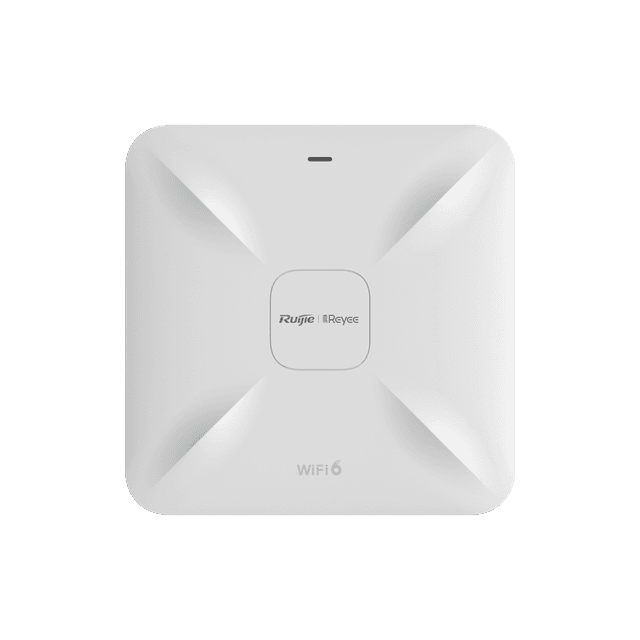
Once the wired side gave me about 2 Gbps, I did a further test with a different question: which Wi-Fi access point can actually deliver this much over the air? Most access points are the bottleneck here, and a fast firewall means nothing if the Wi-Fi tops out far below it.I researched it and chose the Ruijie RAP2260 with a 160 MHz channel. The 160 MHz width is what makes the difference. A wider channel carries more data at the same time, so over Wi-Fi 6 I reached almost 2 Gbps download wirelessly in my test, close to what the wired connection gave. I tested with a Samsung Galaxy S23 Ultra, a normal phone, not special lab equipment.
The wired side matters too. The firewall has a 2.5 Gbps port, and so does the access point link, so the most this chain can deliver is a little under 2.5 Gbps in practice. That is why my result stopped at almost 2 Gbps, even though the three lines together can supply more.
What you need for this to work:
- A Wi-Fi 6 access point that supports 160 MHz channels, set to use 160 MHz.
- A device that supports Wi-Fi 6 with 160 MHz, like the Galaxy S23 Ultra I used. Many older phones and laptops stop at 80 MHz and will not see these speeds.
- A wired link to the access point that is faster than 1 Gbps. Mine was 2.5 Gbps, which is also the ceiling of the whole test.
- A good position, close to the access point with a clear path. Speed drops with distance and walls.
An honest note on how it works
Combining lines adds capacity across many connections at the same time. A single connection still travels over one line. That is why downloads that open several streams (browsers, download managers, speed tests, VPNs with multiple tunnels) reach the combined speed, while one single stream is limited to one line's speed.
What I learned
- Start with the signal. Outdoor 5.5G routers placed well beat any firewall setting.
- Tune each line alone before you combine them.
- Connection handling matters more than raw speed. This is what keeps things from dropping.
- Route by need. A static route for a specific service can fix what load balancing cannot.
- Test your VPN too, not just downloads.
- Check the Wi-Fi last, but do check it. A Wi-Fi 6 access point on a 160 MHz channel is what let my devices use the speed.
Want this for your home or business?
Multi-operator internet with automatic failover and load balancing is something we design and install in Kuwait. The capacity comes from the licensed operators; we design the setup around them. Tell us your site and what you need, and we will book a site visit and quote it.WhatsApp +965 60607910 · Call +965 22020922
Planning something similar?
Send us the floor plan or a few photos on WhatsApp. An engineer replies with what the job needs and what it involves.
Products used
Read next
All articles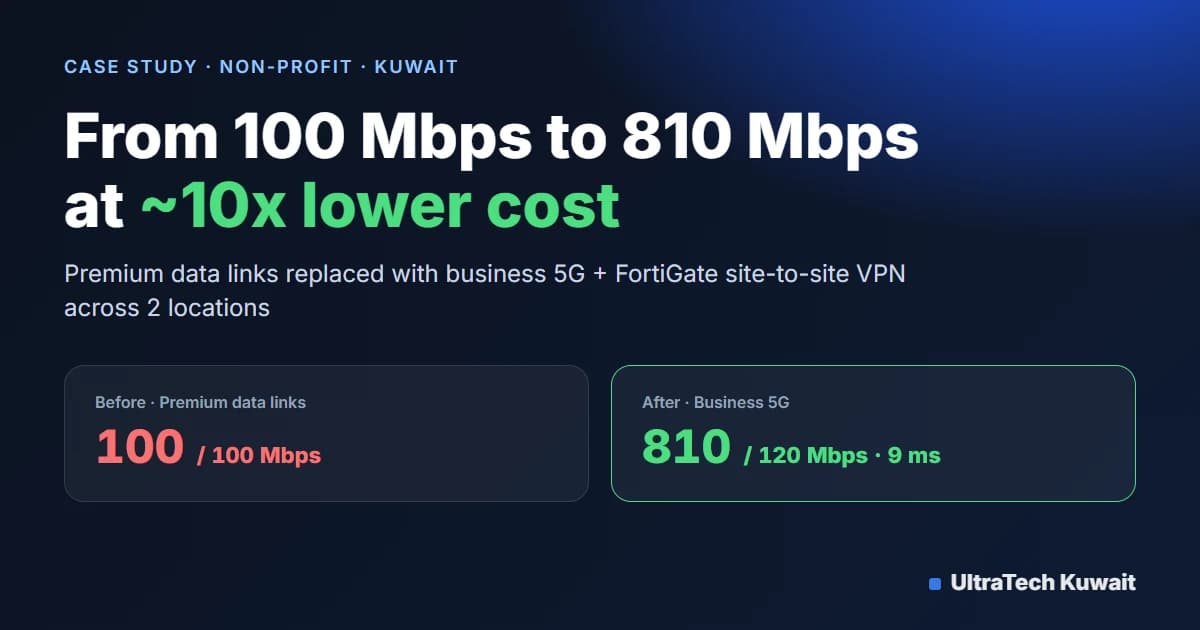 Case study
How a Kuwait Non-Profit Cut Internet Costs 10x and Got 8x Faster Speeds with 5G
Upload 100 Mbps Now: Upload 120 Mbps
UltraTech Kuwait found that a non-profit was paying roughly 10x more than necessary for premium data links capped at about 100 Mbps. By replacing them with business 5G internet at two locations and configuring site-to-site VPN tunnels on the existing FortiGate firewalls, the organization cut its connectivity cost by about 10x, gained speeds above 800 Mbps, and got faster, lower-latency access between sites.
- Business 5G Internet
- Fortinet FortiGate
- Site-to-Site IPsec VPN
- WAN Integration
12 Aug 2026 · 5 min readRead Case study
Building a Mission-Critical Warehouse Network Infrastructure in Kuwait
No central CCTV Now: 50+ UNV cameras, central recording
UltraTech Kuwait designed and deployed a complete warehouse infrastructure including enterprise Wi-Fi 6, fiber optic backbone, firewall security, WAN failover, structured cabling, cloud management, and a 50+ camera surveillance system. The result is a scalable, secure, and highly available network built for uninterrupted warehouse operations.
- UltraTech enterprise firewall
- Ruijie RAP2260 Wi-Fi 6
- Fiber optic backbone
- UNV IP cameras (50+)
4 Jul 2026 · 4 min readRead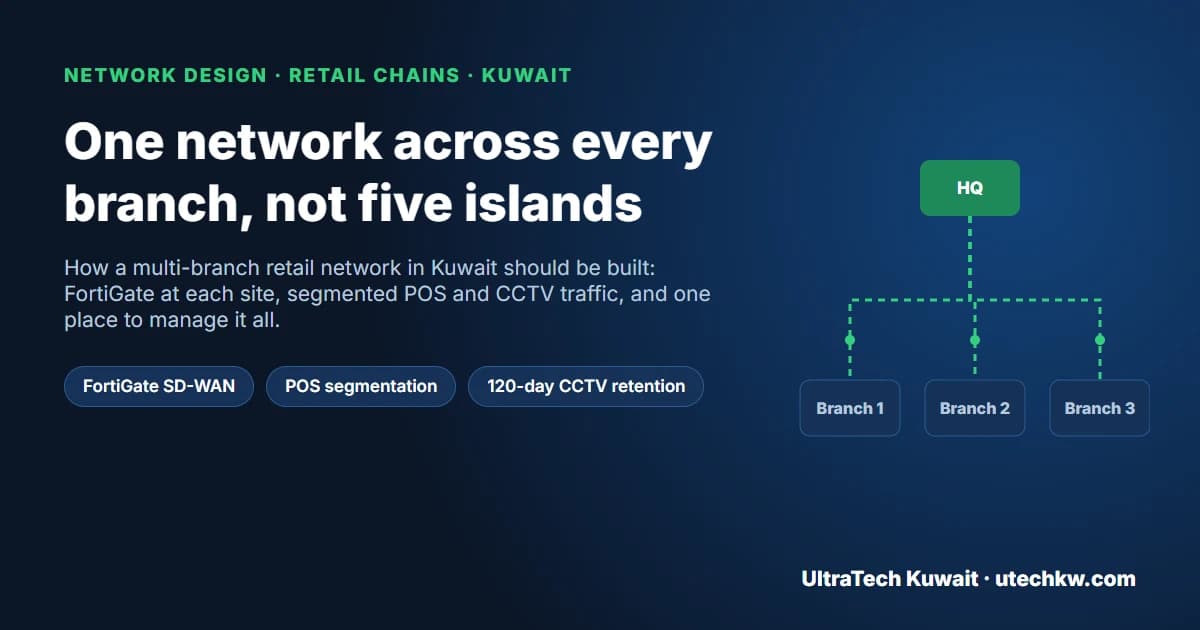 Firewalls
Multi-Branch Retail Networks in Kuwait: FortiGate, POS Segmentation and Central CCTV
UltraTech Kuwait builds multi-branch retail networks as one system rather than separate shop networks. Each branch gets a FortiGate firewall with an encrypted tunnel to head office and optional 5G failover, traffic is split into VLANs so POS terminals never share a network with guest Wi-Fi or cameras, Wi-Fi runs on cloud-managed Ruijie Reyee access points, and each branch keeps a local NVR sized for 120-day retention with a central view at head office.
28 Aug 2026 · 6 min readRead