Business networking in Kuwait

Networks designed on paper first, installed cleanly, and handed over with documents your team can use.

A business network is the cabling, switches, Wi-Fi, firewall and internet lines that connect a company's people, devices and systems. UltraTech Kuwait designs, installs, upgrades and looks after business networks across Kuwait, from a single office LAN to networks spanning several buildings, with every design written down before equipment is bought and every network handed over tested and documented.

Reviewed by Eng. M. Ahmed, Team Leader, Network & Project Specialist · Updated

Key facts

Covers
Office LANs, Wi-Fi, switching, internet lines and failover, network operations
Size
From a single office to multi-building campuses
Brands
Cisco, Aruba, Ubiquiti UniFi, TP-Link Omada, Ruijie, Fortinet, MikroTik
Approach
Site survey, written design, installation, testing
Handover
Network diagram, IP and VLAN plan, port map, Wi-Fi heatmap
Coverage
All six governorates of Kuwait

Networking services

Five areas of business networking. Services with a page open its details; the others are part of the area page and quoted on request.

Wireless & Wi-Fi

Business Wi-Fi indoors, outdoors and between sites

6 services

Internet, WAN & Load Balancing

Faster, backed-up internet for every site

6 services

How a business network fits together

Every business network has the same layers, top to bottom. Each one is a service we design, install and look after.

  1. 1

    Internet lines

    Two lines from different providers, shared and backing each other up, so one outage never stops the office.

  2. 2

    Firewall and VPN

    Controls what goes in and out, and gives staff and branches a secure way in.

  3. 3

    Core switching and design

    The centre of the network: separate networks for staff, guests, phones and cameras, and the links to servers.

  4. 4

    Cabling and access switches

    A tested cable to every desk, access point and camera, and switches that power phones and cameras over the cable.

  5. 5

    Wi-Fi

    Access points placed from a survey, with a separate guest network, indoors and outdoors.

  6. 6

    Between buildings

    Fiber or wireless links that make several buildings one network.

  7. 7

    Monitoring and support

    Someone watching the network, fixing it when it breaks, and keeping the documents current.

Networks by type of business

Offices and company headquarters

A wired point at every desk, Wi-Fi that reaches the meeting rooms, a firewall with remote access for staff, and one number to call when something stops.

Clinics and medical centres

Separate networks for staff, patients and medical devices, cabling done after clinic hours, and patient records kept behind a firewall.

Shops, showrooms and mall branches

Card machines and POS that stay online, guest Wi-Fi kept apart from the till, and one support contract that covers every branch.

Restaurants and cafés

Ordering tablets, kitchen printers and POS on a network that holds up at the dinner rush, with customer Wi-Fi on its own network.

Warehouses and logistics

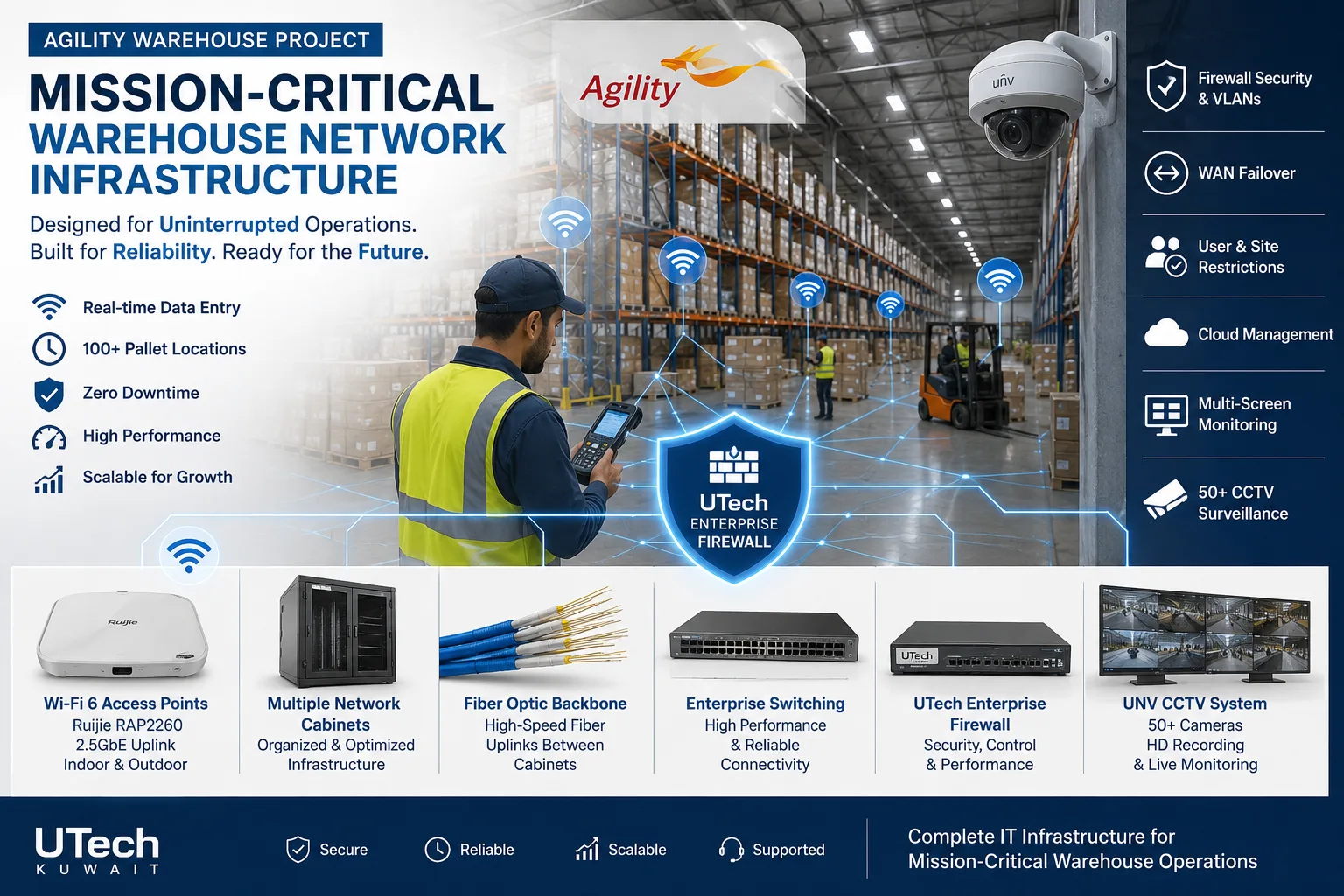
Wi-Fi for handheld scanners between tall racking, coverage out to the loading yard, and links between buildings on the same plot.

Schools and training centres

Wi-Fi sized for a full classroom of devices, a site survey before the access points go up, and a firewall between student and staff networks.

Farms, chalets and remote sites

Internet carried in from a neighbouring building or a tower over a wireless link, and Wi-Fi that reaches the outdoor areas.

Brands we install

We recommend by site and budget, not by brand, and support networks already installed.

  • Ubiquiti UniFi

    Small and growing offices

    One app for switches, Wi-Fi and firewall; no licence fees

  • TP-Link Omada

    Small offices on a budget

    Cloud or local controller for switches, Wi-Fi and routers

  • Ruijie Reyee

    Small offices, shops, clinics

    Free cloud app; strong Wi-Fi 6 and Wi-Fi 7 range

  • Aruba (HPE)

    Growing and enterprise offices

    Instant On for small sites; CX switching and Central for larger ones

  • Cisco

    Enterprise and regulated sectors

    Industry standard with long support life; most IT teams know it

  • Fortinet

    Offices that need a security firewall

    FortiGate with SD-WAN and VPN; FortiSwitch and FortiAP managed from it

  • MikroTik

    Routing-heavy and multi-site setups

    Very flexible; needs an engineer to manage

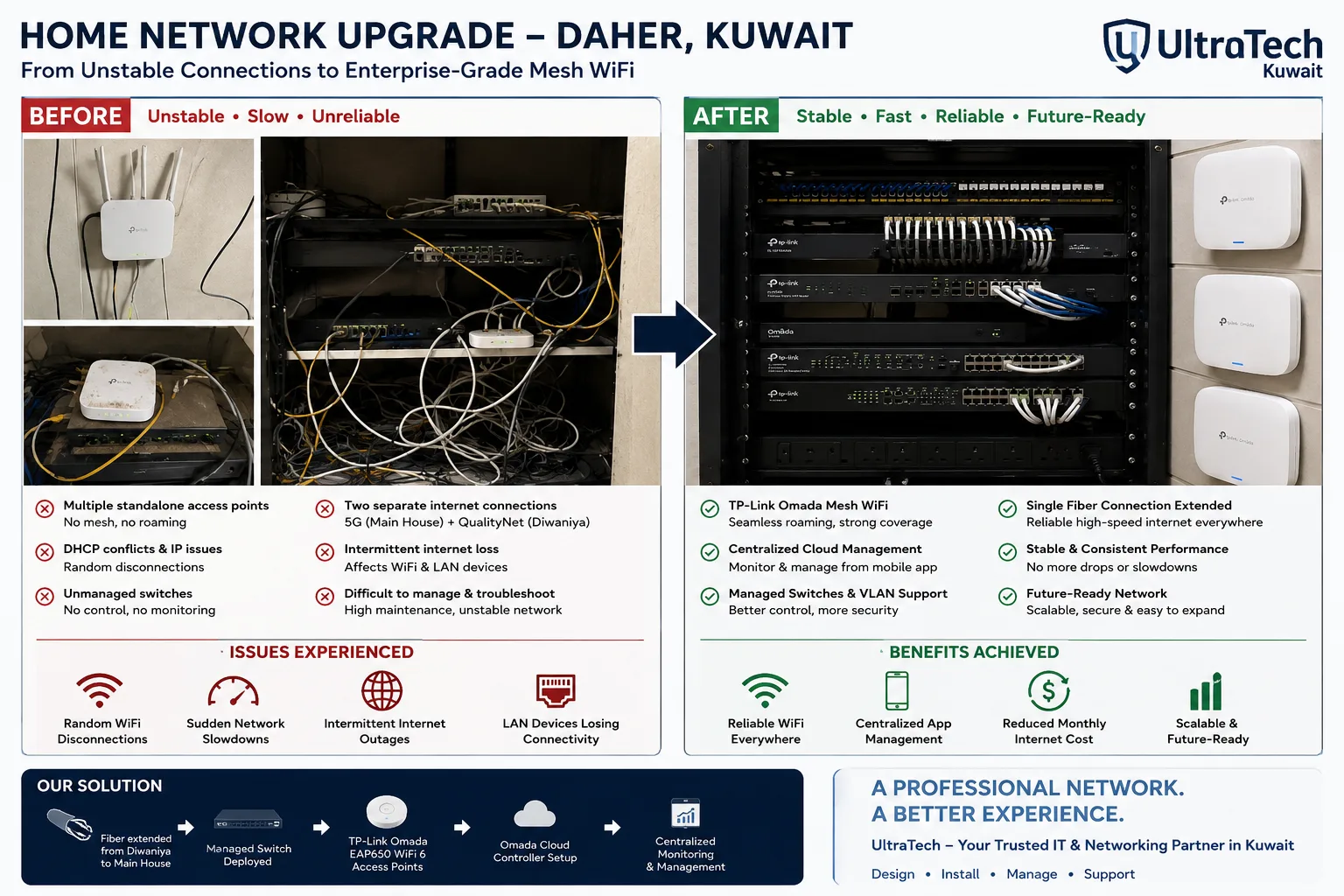
Recent networking work in Kuwait

How we deliver a network

  1. 1

    Site survey

    Rooms, rack position, users, devices and the internet lines in the building.

  2. 2

    Written design

    HLD and LLD, IP and VLAN plan, equipment options and bill of materials, before anything is bought.

  3. 3

    Installation

    Cabling, racks, switches, Wi-Fi and firewall, after hours if the office stays open.

  4. 4

    Testing and handover

    Every point and access point tested; documents handed over; one engineer as your contact.

At handover:Network diagramIP and VLAN planPort mapWi-Fi heatmapTest reportsAdmin passwords

More explanation

How a business network is planned

Start from the people and devices
How many staff, phones, cameras, printers and guests, now and in two years, decides the number of points, the switch size and the Wi-Fi capacity.
Cabling before equipment
Cat6 or Cat6A to every desk, access point and camera, terminated in a rack, outlives every switch and access point that will plug into it.
Separate networks for separate jobs
Staff, guests, IP phones and cameras each get their own VLAN, so a guest's phone never sees the accounts PC and calls keep their quality.
Wi-Fi from a survey, not a guess
Access points are placed from a site survey or a predictive plan of the floor, because block and concrete walls in Kuwait buildings stop Wi-Fi far more than partitions do.
Security at the edge
A business firewall controls what goes in and out, gives staff and branches a VPN, and keeps a backup of the network's settings.
Written down at the end
A diagram, an IP and VLAN plan, a port map and the Wi-Fi heatmap are handed over, so anyone can look after the network later.
Signs a business network needs an upgrade

Slow at busy hours
Speed drops when everyone is in: usually an overloaded switch, a single internet line, or Wi-Fi sized for fewer people.
Dead spots and drops
Wi-Fi that disappears in meeting rooms or upstairs: too few access points, or access points in the wrong places.
One flat, unmanaged network
No VLANs and no monitoring, so there is no way to see what is connected or to keep guests away from staff systems.
Equipment out of support
Switches and firewalls that no longer receive security updates.
Nobody knows how it is built
No diagram, unlabelled cables, and passwords that left with a former employee.

Networking terms explained

LAN
The local network inside one office or building.
VLAN
A separate network on the same switches, used to keep staff, guests, phones and cameras apart.
PoE
Power over Ethernet: phones, cameras and access points powered through the network cable.
Core switch
The central switch that links the floors, the servers and the firewall.
Access switch
A switch on a floor or in a room that connects desks, cameras and access points.
Access point
The device on the ceiling or wall that provides Wi-Fi.
Wi-Fi heatmap
A coloured floor plan showing signal strength, measured or predicted.
Failover
A second internet line that takes over automatically when the first one drops.
SD-WAN
Internet lines and branch links steered by measured quality, managed from one place.

Other areas of UltraTech Business

Tell us about your network

Every network is designed to the site and quoted in writing. Send your requirements or ask an engineer on WhatsApp.