Business internet, WAN & load balancing in Kuwait
Faster internet, a second line that takes over on its own, and one engineer who deals with the providers for you.
Business internet and WAN cover the lines that connect a company to the internet and its sites to each other: fiber, 5G and leased lines, and the router or firewall that switches or shares traffic between them. UltraTech Kuwait sets up business internet across Kuwait, from aligned outdoor 5G routers to automatic failover, load balancing and leased lines ordered from Zain, Ooredoo, stc and fixed-line providers, and proves the failover at handover by unplugging the main line in front of you.
Reviewed by Eng. M. Ahmed, Team Leader, Network & Project Specialist · Updated
Key facts
- Covers
- 5G business internet, failover, load balancing, leased lines
- Providers
- Zain, Ooredoo, stc and fixed-line ISPs; provider-neutral advice
- Equipment
- FortiGate, MikroTik, TP-Link Omada and Grandstream multi-WAN; outdoor 5G routers
- Proof
- Main line unplugged at handover to show the backup taking over
- Priority
- Calls and card payments first on the backup line
- Coverage
- All six governorates of Kuwait
Business internet and WAN services
Four services we deliver ourselves, and two that are built with the mobile operators. Each built service has its own page.
Load balancing
Use two internet lines at once
Two or more lines used at once, and servers kept online behind a load balancer.
- Connections shared across lines by their measured speed
- Banking and VPN sessions kept on one line
- Server balancing with HAProxy, NGINX, F5 or Kemp
- Failover included in every setup
Multi-WAN & internet failover
Stay online when a line drops
A second line on another provider that takes over on its own when the main one drops.
- Continuous health checks on every line
- Card machines and calls keep working
- Email alert when a line goes down or returns
- Tested in front of you at handover
5G business internet
Get fast internet without a fixed line
An outdoor 5G router mounted and aimed at the cell, as the main line or the backup.
- Signal of Zain, Ooredoo and stc measured on site
- Wall or mast mount, powered over the network cable
- Business data plan in the company's name
- Normally one visit for a standard fit
5G indoor / outdoor coverage
Fix weak mobile signal inside
Weak mobile signal inside a building is solved with the operator: an unapproved repeater interferes with the network.
- Signal measured floor by floor
- Options explained, from an outdoor 5G router to an operator system
- Coordination with the operator on request
Leased line & ISP coordination
Order and install a dedicated line
A dedicated line ordered from the provider for you, installed, tested and handed over.
- Quotes collected from the providers
- Survey and paperwork followed up
- Router, firewall and failover set up on arrival
- Speed tested and documented
Private 5G for sites & campuses
Cover a yard, port or plant
A private cellular network for a yard, port or plant uses licensed spectrum, so it is built with a licensed operator.
- Site network planned around the operator's system
- Wi-Fi, fiber and wireless links for the rest of the site
- Quoted with the operator on request
How business internet fits together
A line on its own is a single point of failure. A business connection is two lines, a device that decides between them, and rules for what matters most.
- 1
Lines
Fiber, 5G or a leased line, ideally on different providers and different routes into the building.
- 2
The edge device
A multi-WAN router for a small office, a business firewall where security and branch VPN are needed.
- 3
Failover
Health checks to fixed internet addresses decide when a line is down, not just whether the provider's box answers.
- 4
Load balancing
Connections shared across lines by their speed, with sessions that must not move kept on one line.
- 5
Branches
The same lines carry VPN tunnels or SD-WAN to the other sites.
- 6
Inside the office
Switches and Wi-Fi behind the edge, so a fast line is not held back by an old router.
Internet setups by type of business
Shops, showrooms and mall branches
Card machines and POS that stay online, guest Wi-Fi kept apart from the till, and one support contract that covers every branch.
Farms, chalets and remote sites
Internet carried in from a neighbouring building or a tower over a wireless link, and Wi-Fi that reaches the outdoor areas.
Internet and WAN equipment we install
We choose by the number of lines, users and branches, and whether the same box should also be the firewall.
Fortinet FortiGate
Offices that need security and branch VPN
SD-WAN, failover and firewall in one device
MikroTik
Many or unequal lines
Per-connection rules for any number of lines
TP-Link Omada
Small offices and shops
Multi-WAN router managed with Omada Wi-Fi and switches
Grandstream
Sites with Grandstream phones
Multi-WAN routers alongside the phone system
TP-Link, Huawei, Suncomm
Outdoor 5G
Weatherproof 5G routers, wall or mast mounted
HAProxy, NGINX, F5, Kemp
Websites, ERP and APIs
Server load balancing at Layer 4 or Layer 7
Recent network work in Kuwait
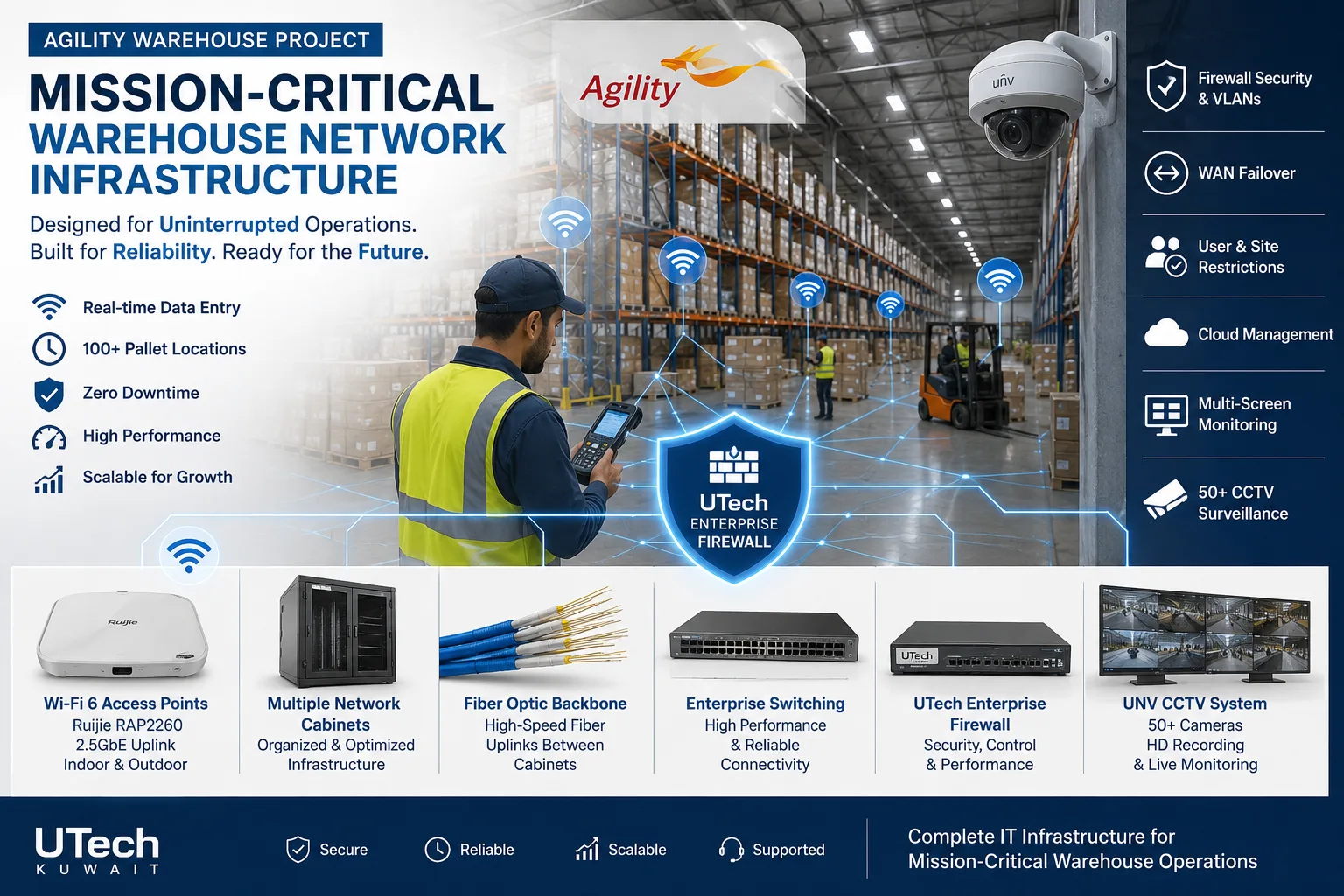 Mission-critical warehouse networkEnterprise Wi-Fi and switching for a major logistics operator's warehouse in Kuwait.Read the case study
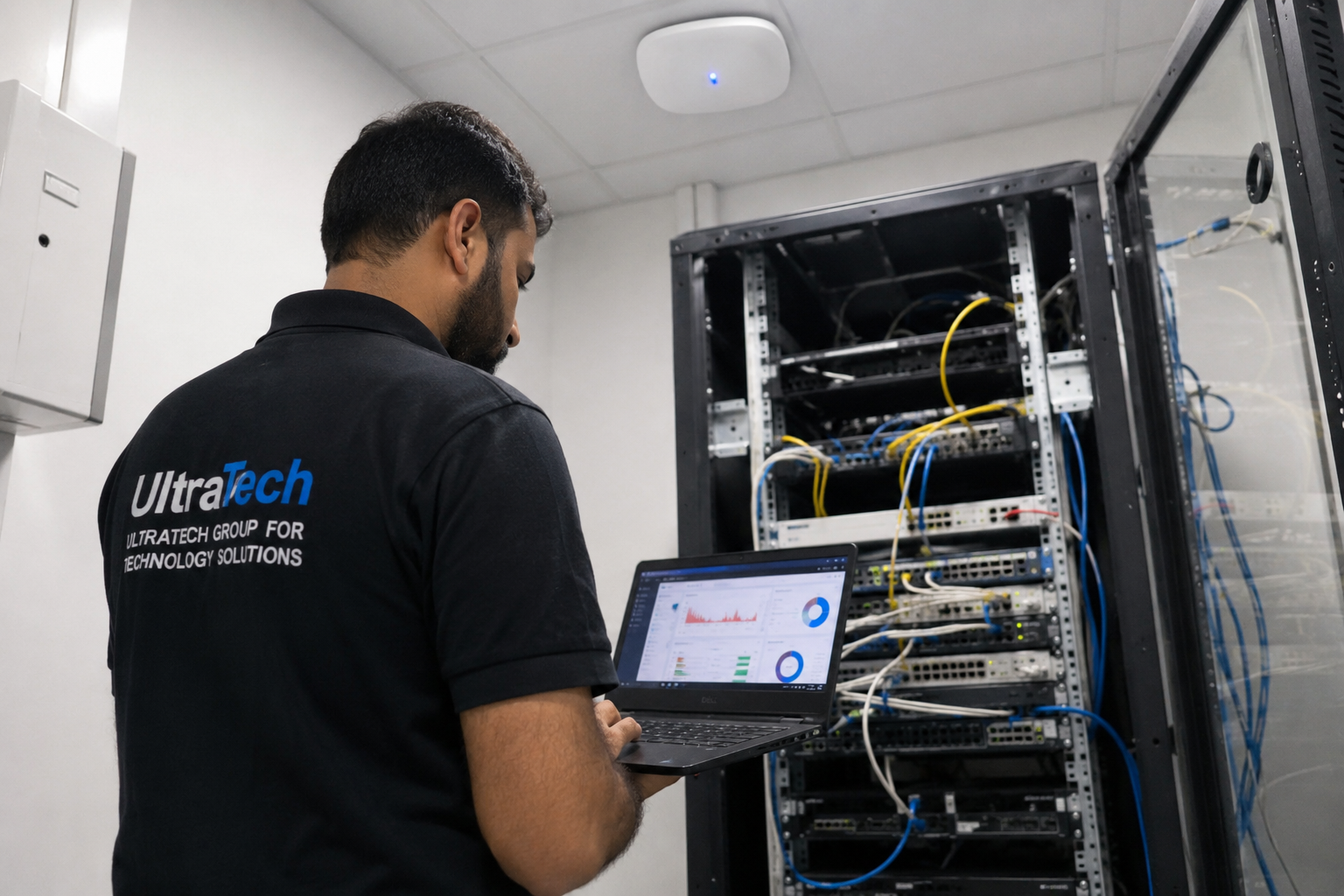 Multi-floor commercial Wi-Fi upgradeEnterprise Wi-Fi rebuilt across every floor of a commercial facility.Read the case study
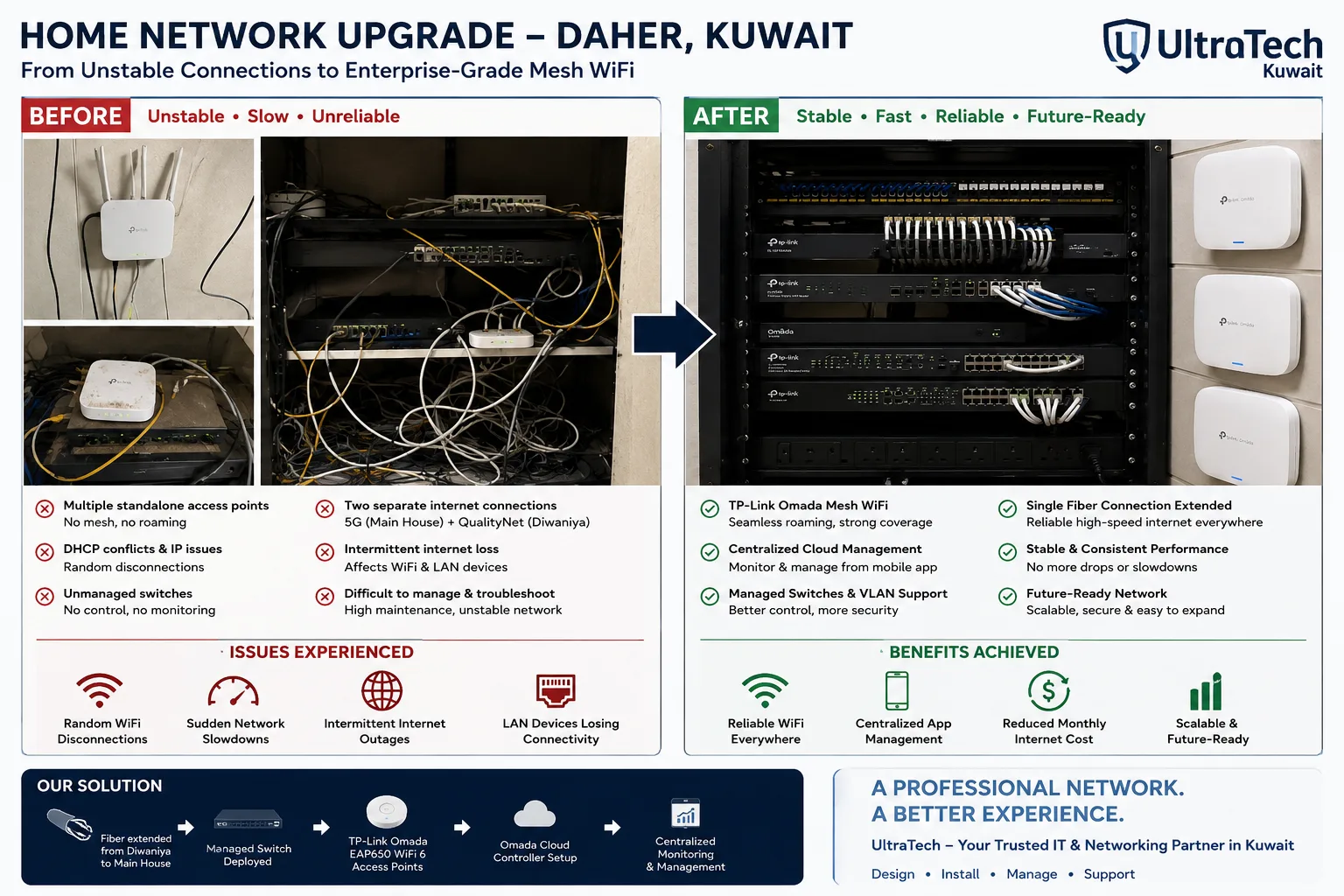 Two-building Omada mesh network, Daher7–8 unstable access points replaced by one managed Omada network across two buildings.Read the case study
How we set up business internet
- 1
Site visit
Lines in place, users, applications, and the 5G signal of each operator at the mounting point.
- 2
Written design
Which lines, which device, which rules, and what happens when something stops.
- 3
Install and configure
Routers mounted and aimed, lines connected, rules set; changes after hours if needed.
- 4
Test and hand over
The main line unplugged in front of you, speed tests, and the rules and passwords handed over.
At handover:Failover test, done in front of youSpeed test resultsLine and provider detailsRule list in plain languageConfiguration backupsAdmin access and passwords
More explanation
Failover, load balancing and bonding explained
- Failover keeps a line waiting
- The backup line carries nothing until the main line fails, then takes over in seconds. It is the minimum for any business that takes card payments or calls.
- Load balancing uses both lines
- Connections are shared across the lines, so many users get more total capacity, and losing one line still leaves the other.
- One download still uses one line
- Load balancing shares connections; it does not merge two lines into one faster line. A single download or video call runs on one line at a time.
- Bonding merges lines
- True bonding splits each connection across lines and needs a service at the other end. It is rarely needed; failover with balancing covers most offices.
- Different providers, different routes
- Two lines from the same provider fail together in a provider outage, and two cables in the same trench fail together when it is dug up.
Choosing the lines for a Kuwait office
- Measure 5G before choosing it
- A properly mounted outdoor 5G router often beats a basic fixed line, but the signal changes street by street. We measure each operator at the mounting point first.
- Upload matters too
- Cloud backup, video calls and viewing cameras from outside depend on upload speed, which we measure in both directions.
- Fixed address for inbound access
- 5G usually shares its public address, so hosting a server, port forwarding and VPN into the office need a fixed line or a leased line.
- Leased lines are quoted by the provider
- Their price depends on speed, location and contract length and is not published. We collect the quotes and install the line when it arrives.
Internet line types compared
| Line | Strengths | Watch out for |
|---|---|---|
| Fiber (fixed line) | Stable speed, low delay, fixed address options | Lead time to install; one cable route |
| Outdoor 5G | Fast to install, no digging, high speeds where signal is strong | Signal varies by site; shared public address |
| Leased line | Dedicated, guaranteed capacity, fixed addresses | Provider pricing and lead time |
| 4G | Wide coverage as a last backup | Lower speeds at busy times |
Failover, load balancing and link aggregation
| Method | What it does | Faster single download? | Survives a failure? |
|---|---|---|---|
| Failover | Switches to the backup when the main line drops | No | Yes |
| Load balancing | Shares connections across lines or servers | No; more total capacity | Yes |
| SD-WAN | Steers traffic by measured line quality | No; better line per application | Yes |
| Link aggregation (LACP) | Bundles cables between two devices | No; more capacity between them | Yes, if one cable fails |
Internet and WAN terms explained
- WAN
- Wide area network: the lines that connect an office to the internet and to its other sites.
- Multi-WAN
- A router or firewall with two or more internet lines connected.
- Failover
- Automatic switch to a backup line when the main line drops.
- Load balancing
- Sharing connections across several lines or servers.
- Health check
- A continuous test that decides whether a line or server is working.
- SD-WAN
- Steering traffic across lines by their measured quality, managed centrally.
- Leased line
- A dedicated line from the provider with a guaranteed speed.
- CGNAT
- A shared public address used by many customers, common on 5G.
- Static IP
- A fixed public address, needed to reach a server or VPN from outside.
- Session persistence
- Keeping a user's connection on the same line or server so it does not break.
- Outdoor CPE
- A weatherproof 5G router mounted outside and aimed at the cell.
- Latency
- The delay of a line, which matters most for calls and video.
Other networking services
- Network Design & InstallationFrom a single office to a multi-building campus
- Wireless & Wi-FiBusiness Wi-Fi indoors, outdoors and between sites
- Switching, Routing & SD-WANThe core of the network, and the links between branches
- Network OperationsMonitoring, audits, fixes and documentation
- All of Networking
Tell us about your lines
Send your address, the lines you have and what must keep working during an outage, and an engineer will recommend the setup in writing.