Villa Wi-Fi Case Study: Fixing a DHCP Conflict After a New Fiber Router in Kuwait
After an ISP installed a new fiber router, a 3-storey villa in Abu Fatira lost its whole home network. We found two routers running DHCP, fixed it on site, and designed a 12-access-point Ruijie Reyee Wi-Fi 6 system.
The job in short
Why does home internet stop working after installing a new fiber router?
UltraTech Kuwait found that a villa in Abu Fatira lost its home network because the ISP left the old router active next to the new fiber router, creating a DHCP conflict. We removed the old router, reconfigured the remaining routers as access points and reset the main router, then recommended 12 Ruijie Reyee RAP2266 Wi-Fi 6 access points on one PoE core switch for seamless roaming.
At a glance
- Area
- Abu Fatira, Kuwait
- Property
- 3-storey villa with basement
- Client
- Residential villa
- Time on site
- Fixed on the first visit; upgrade installed in 1 day
- Completed
- Team
- Eng. M. Ahmed, Zayan K., Omar A.
Systems installed
- 12 × Ruijie Reyee RG-RAP2266 Wi-Fi 6
- Ruijie Reyee PoE switches
- Ruijie Cloud app
- Fiber internet, 200 Mbps
Before and after
| Before | After |
|---|---|
| Two DHCP servers | One DHCP source |
| Unknown router password | Owner has admin access |
| Internet only on the main router | Full 200 Mbps in every part of the house |
| 10+ standalone routers and 2 mesh units, no roaming | 12 Wi-Fi 6 access points, one network, seamless roaming |
The problem
After the ISP installed a new fiber router, internet worked only on that router and the rest of the villa network was cut off. The old router was still active, two mesh units were installed floors apart, and the main router password had been changed without the owner knowing.
What we did
UltraTech removed the old router, reconfigured the remaining routers as access points so only one device runs DHCP, and reset and secured the main fiber router. For a permanent fix we recommended 12 Ruijie Reyee RAP2266 Wi-Fi 6 access points on a Reyee PoE core switch with Ruijie Cloud management. The owner approved it, and we installed it in one day: 12 access points across the basement and all three floors, the existing cabling rearranged onto Ruijie Reyee switches, and channels planned so neighbouring access points do not interfere.
The result
- Whole-house connectivity restored on the same visit
- DHCP conflict eliminated: one address source
- Owner regained control of the main router
- 12 Ruijie Wi-Fi 6 access points installed in one day
- Full 200 Mbps fiber speed, download and upload, in every room
Equipment used on this job
What we installed, how many, and what each device does here.
- Ruijie Reyee smart PoE switches — All the cabling in the cabinet rearranged onto them; they power every access point over its network cable.
- 1×Fiber router (the best of the old routers, kept) — The only device handing out addresses: one DHCP source for the whole house.
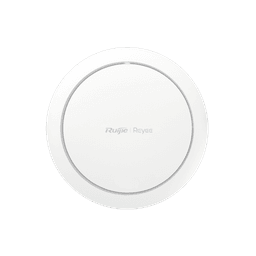
Ruijie Reyee · RG-RAP2266
12×Ruijie Reyee RG-RAP2266 Wi-Fi 6 Access Point
Spread across the basement and all three floors on the cables already in place, each on its own planned band and channel so neighbouring access points do not interfere. One Wi-Fi name, roaming between floors.
Key specifications
- Number of 10/100/1000BASE-T ports
- 1
- Antenna
- 2.4 GHz: 2 built-in omnidirectional antennas; 5 GHz: 3 built-in omnidirectional antennas
- 5 GHz wireless data rate
- 2401 Mbps
- 2.4 GHz wireless data rate
- 573 Mbps
- Maximum wireless data rate
- 2974 Mbps
- Maximum number of associated wireless clients
- 64 (2.4 GHz), 512 (5 GHz), 512 (2.4 GHz and 5 GHz enabled)
Key points
- Only one device on a network should run DHCP
- An old router left active after a new install causes address conflicts
- Mesh units placed floors apart cannot roam or relay well
- Several standalone routers create several networks, not one
- Cabled access points on a PoE switch suit multi-floor villas
- Always keep your router admin passwords
In this article
- At a glance
- The problem: "The internet only works on the router"
- What we found on site
- 1. Two routers were both acting as DHCP servers
- 2. Two mesh units installed far too far apart
- 3. Every other router was working as a separate network
- 4. The main router password had been changed
- What we fixed on the same visit
- Our recommendation: one centrally managed Wi-Fi system
- Lessons for any villa owner in Kuwait
- Update: the upgrade is installed
At a glance
A family in a three-storey villa with a basement in Abu Fatira, Kuwait had a new fiber router installed by their internet provider, and suddenly the rest of the home network stopped working. Internet only worked when connected directly to the new router. UltraTech Kuwait visited the site, found two routers handing out IP addresses at the same time, and restored stable connectivity the same visit. We then recommended a permanent upgrade: 12 Ruijie Reyee RAP2266 Wi-Fi 6 access points on one PoE core switch, managed from the Ruijie Cloud app.
| Details | |
|---|---|
| Property | 3-storey villa + basement, Abu Fatira |
| Internet | Fiber, new ISP router |
| Symptom | Internet only on the main router; rest of network cut off |
| Root cause | Old router left active: two DHCP servers on one network |
| Fixed on site | Old router removed, routers reconfigured as access points, main router reset and secured |
| Recommended | 12 × Ruijie RAP2266 + Reyee PoE core switch, cloud managed |
The problem: "The internet only works on the router"
The owner called us with a clear description: after the ISP connected a new fiber router, the internet worked on that router only, and every other part of the house network was cut off. They suspected an old switch.
With four levels of concrete, a villa like this needs more than one wireless device, so over the years several routers had been added to extend coverage. That history turned out to be the key.
What we found on site
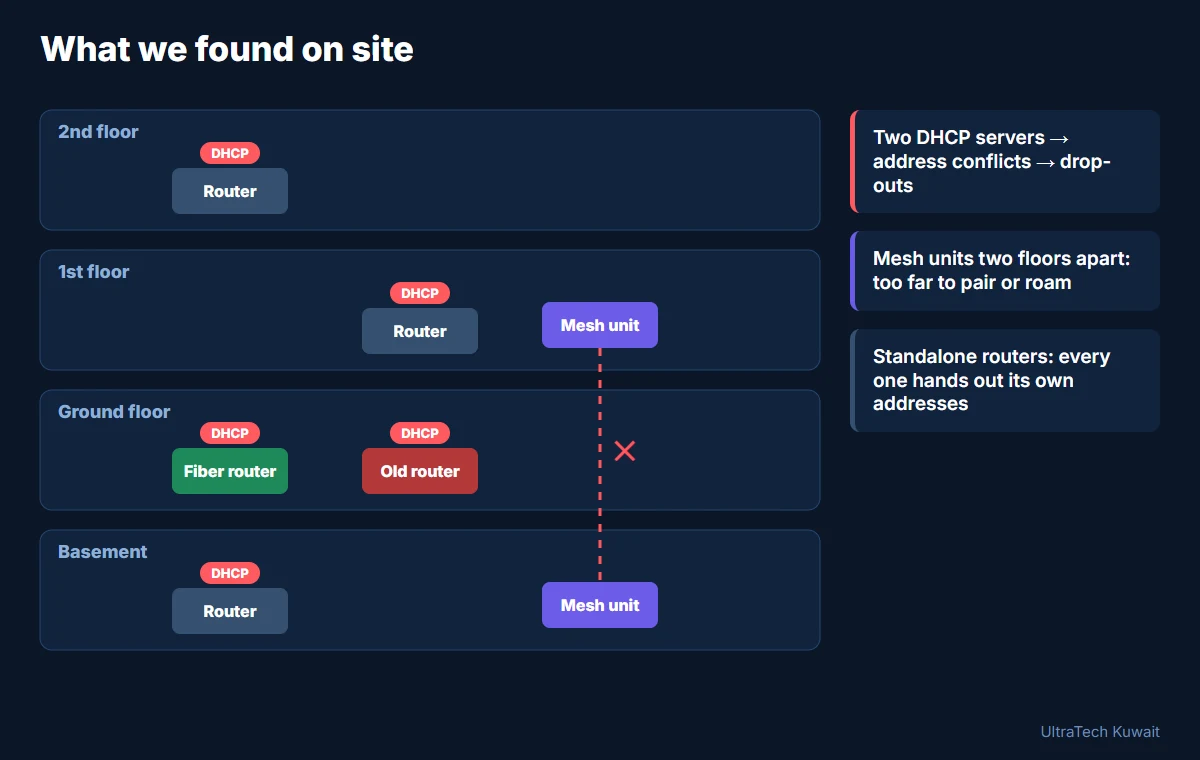
1. Two routers were both acting as DHCP servers
The ISP technician installed the new fiber router but did not disconnect the old router. Both devices were running DHCP, the service that hands out IP addresses. With two DHCP servers on one network, devices receive addresses from whichever answers first, often with the wrong gateway. The result is exactly what the family saw: some devices online, others with "connected, no internet", and random drop-outs.
2. Two mesh units installed far too far apart
The technician had also installed two mesh routers: one in the basement and one on the first floor. Mesh is designed so that nodes sit within good range of each other and hand your phone from one to the next as you move around. Separated by a full floor of concrete, the two units could barely talk to each other, so they added cost without delivering real coverage or roaming.
3. Every other router was working as a separate network
The additional routers around the villa were each running in router mode, with their own DHCP and their own network. Even when everything was "working", nothing was connected into one system and there was no roaming: walking between floors meant dropping and rejoining networks.
4. The main router password had been changed
The main router's admin password had been changed during installation without the owner's knowledge, so the family had no control over their own equipment.
What we fixed on the same visit
- Removed the old router so there was a single gateway to the fiber connection.
- Reconfigured the other routers as access points (bridge/AP mode) so they stopped handing out addresses. One DHCP server now serves the whole house.
- Reset and reconfigured the main fiber router, handing the admin credentials back to the owner and stabilising the fiber internet.
Our recommendation: one centrally managed Wi-Fi system
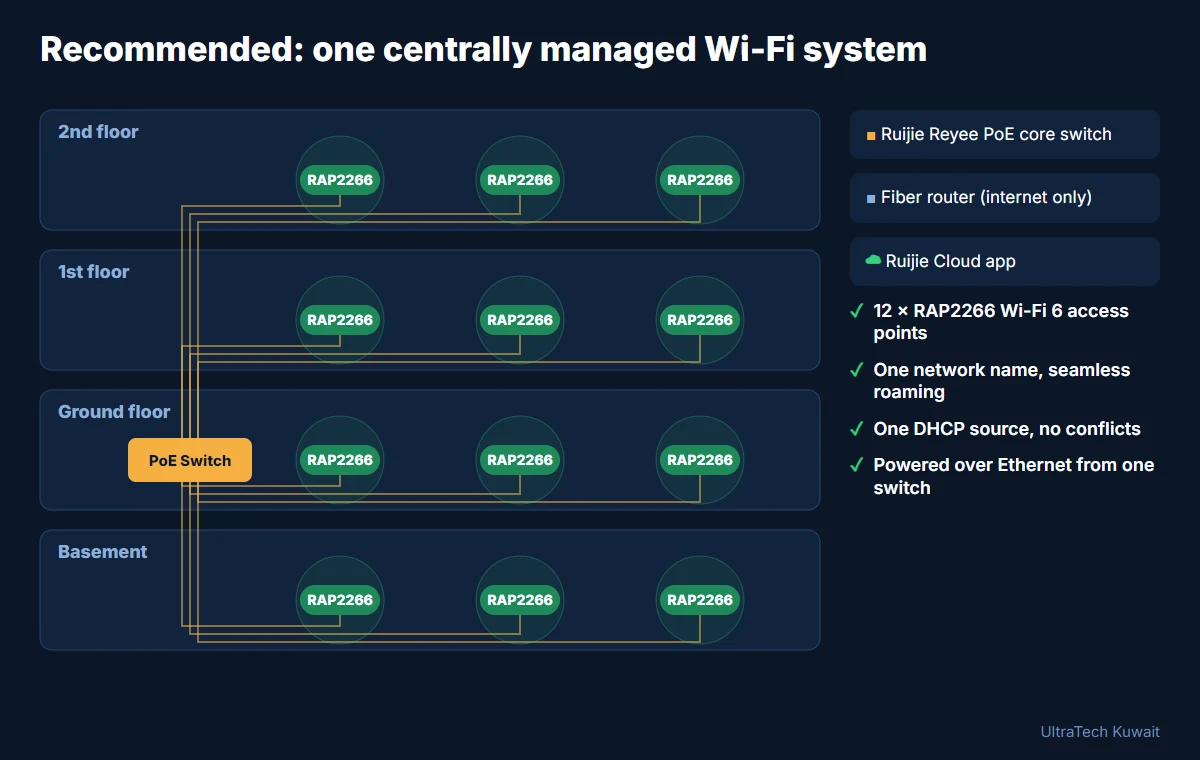
Rather than keep patching a mix of consumer routers and mesh units, we recommended replacing them all with a single, properly designed system:
- 12 × Ruijie Reyee RG-RAP2266 Wi-Fi 6 ceiling access points, placed across all four levels so every room has a strong signal.
- One Ruijie Reyee PoE core switch that powers every access point over its network cable, so there are no power adapters and one place where the network is controlled.
- The fiber router used only for internet, with one DHCP source and no conflicts.
- One Wi-Fi name throughout the house, with seamless roaming as you move between floors.
- Ruijie Cloud app management, so the network can be monitored and supported remotely.
Lessons for any villa owner in Kuwait
- Only one device should hand out addresses. When a new router goes in, the old one must be removed or switched to access-point mode.
- Mesh is not magic. Nodes placed floors apart through concrete cannot roam or relay well.
- More routers do not equal better Wi-Fi. Several standalone routers create several networks, not one.
- Keep control of your admin passwords. Ask any installer to hand them over.
- Big villas need a designed system. Cabled access points on a PoE switch are the reliable answer for multi-floor homes.
Update: the upgrade is installed
The owner approved the recommendation, and we installed it in one day. We removed the two mesh units and all the old routers, kept the best of them as the router on the fiber line, and fitted 12 Ruijie Reyee RG-RAP2266 Wi-Fi 6 ceiling access points across the basement and all three floors. The house already had network cables in every corner of every floor, so no new cable runs were needed: we rearranged all the cabling in the cabinet onto Ruijie Reyee switches. We planned the frequency band and channel of each access point so neighbouring ones do not interfere, checked that the full 200 Mbps of the fiber line, download and upload, reached every part of the house, and gave the owner full cloud control in the Ruijie app. The full project is in our Abu Fatira villa case study.
Engineer's note
The most common home-network fault we see after an ISP visit is a second DHCP server: the new router goes in and the old one is never removed. In a concrete villa, adding more consumer routers or mesh units rarely helps; a small number of cabled Wi-Fi 6 access points on one PoE switch gives full coverage and true roaming.
Book a Site Survey
Our engineers assess your site; the visit fee is deducted if you go ahead.
Book SurveyQuestions people ask
Why does my internet only work on the main router after installing a new one?
Usually because the old router is still connected and also running DHCP. Two DHCP servers on one network give devices conflicting addresses and gateways. Remove the old router or switch it to access-point mode.
What is a DHCP conflict?
DHCP is the service that assigns IP addresses to devices. When two devices provide DHCP on the same network, clients receive addresses from both, often with the wrong gateway, causing "connected, no internet" and random drop-outs.
Does mesh Wi-Fi work in a multi-floor concrete villa?
Only if the nodes are placed close enough to communicate well. Units separated by a full concrete floor struggle to relay traffic and roam. For large villas, cabled access points on a PoE switch are more reliable.
How many access points does a large villa in Kuwait need?
It depends on floor area, wall materials and layout. For the three-storey villa with a basement in this case study, we recommended 12 Ruijie RAP2266 access points, about three per level.
What is the Ruijie Reyee RAP2266?
The RG-RAP2266 is a Wi-Fi 6 dual-band ceiling access point from Ruijie Reyee. It is powered over Ethernet (PoE), supports seamless roaming, and can be managed centrally through the Ruijie Cloud app.
Can I manage my home Wi-Fi from my phone?
Yes. A Ruijie Reyee system can be monitored and managed through the Ruijie Cloud app, which also lets your installer support you remotely.
Planning something similar?
Send us the floor plan or a few photos on WhatsApp. An engineer replies with what the job needs and what it involves.
Read next
All articles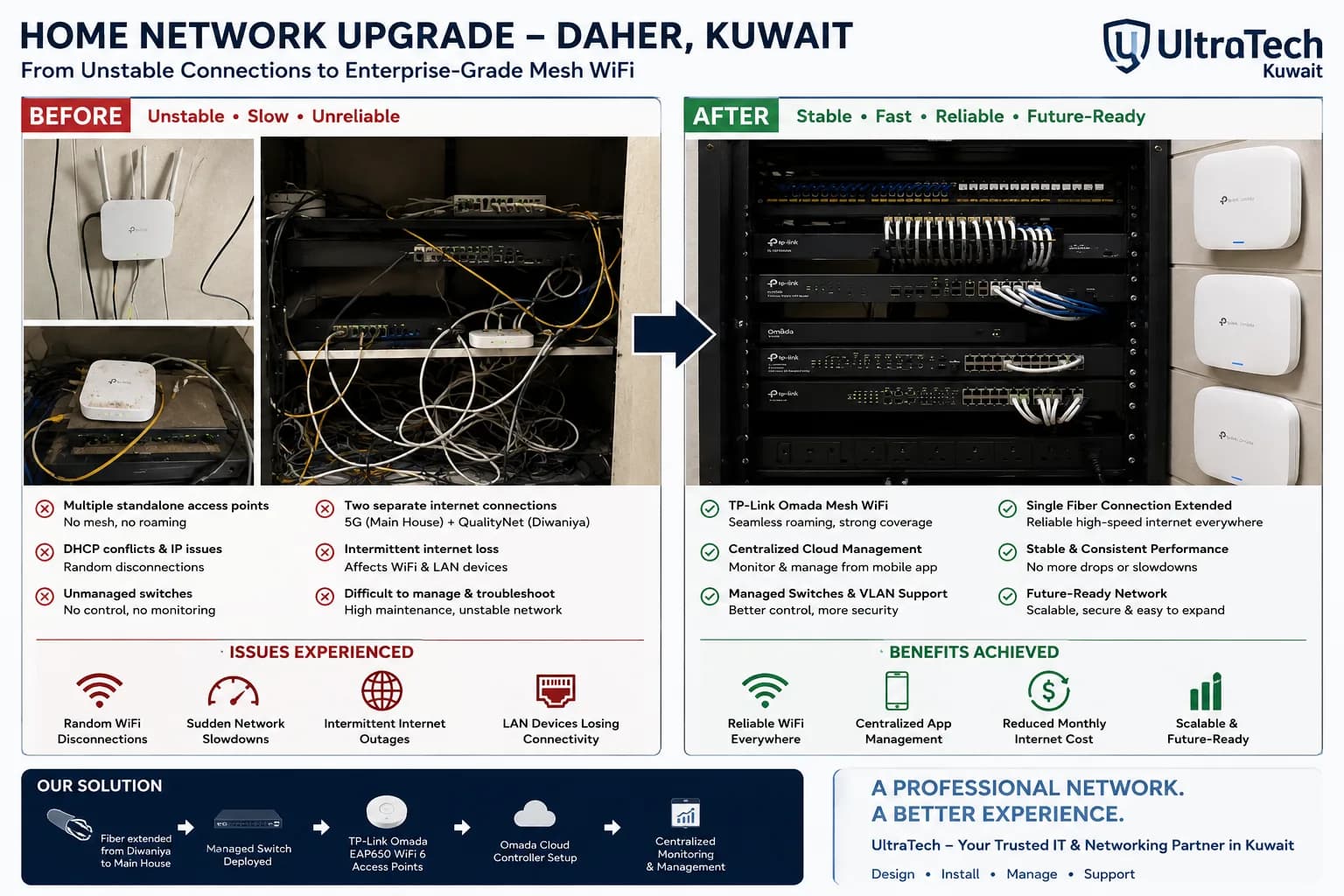 Case study Daher
Transforming an Unstable Home Network into a Reliable Enterprise-Grade Mesh System
Unmanaged switches Now: Managed, scalable network design
This case study demonstrates how UltraTech Kuwait diagnosed and resolved recurring Wi-Fi disconnections, slow internet, and network outages in a large residential property. By replacing standalone access points with a centrally managed TP-Link Omada mesh system and utilizing the property's fiber connection, the network became faster, more reliable, easier to manage, and ready for future expansion.
- TP-Link Omada Wi-Fi 6 access points
- Omada cloud management
- Wired fiber backbone between buildings
- VLAN-ready design
26 Jun 2026 · 5 min readRead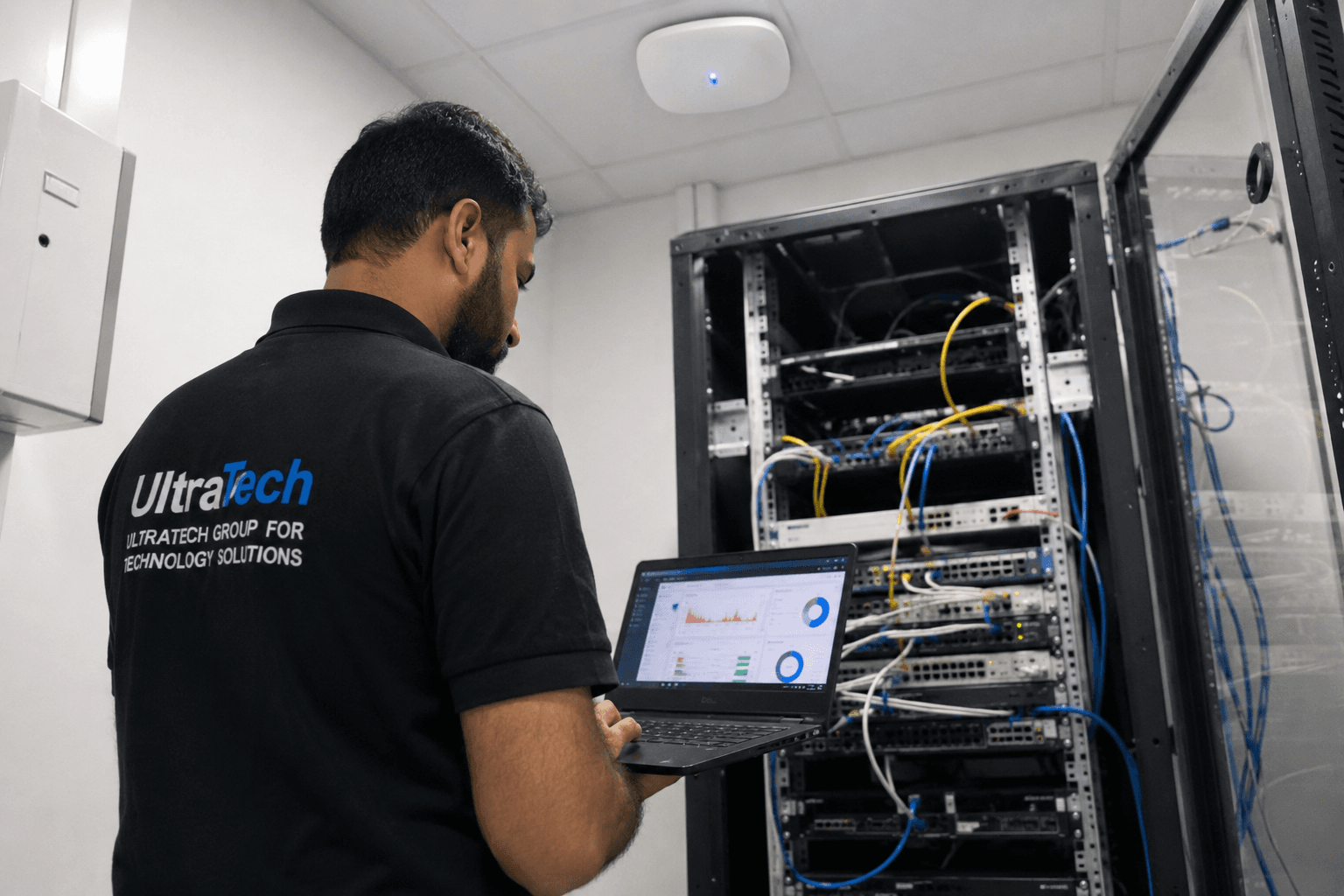 Case study
Enterprise WiFi Network Upgrade for a Multi-Floor Commercial Facility in Kuwait
Slow at peak hours Now: Stable under heavy use
UTechKW completed an enterprise WiFi upgrade for a commercial facility in Kuwait by assessing the existing network, optimizing wireless coverage, improving roaming performance, and implementing centralized network management. The result was a more reliable and scalable wireless infrastructure that improved user experience and supported business operations.
- Wi-Fi site survey
- RF and channel planning
- Central Wi-Fi management
- Separate staff, guest and operations SSIDs
18 Jun 2026 · 3 min readRead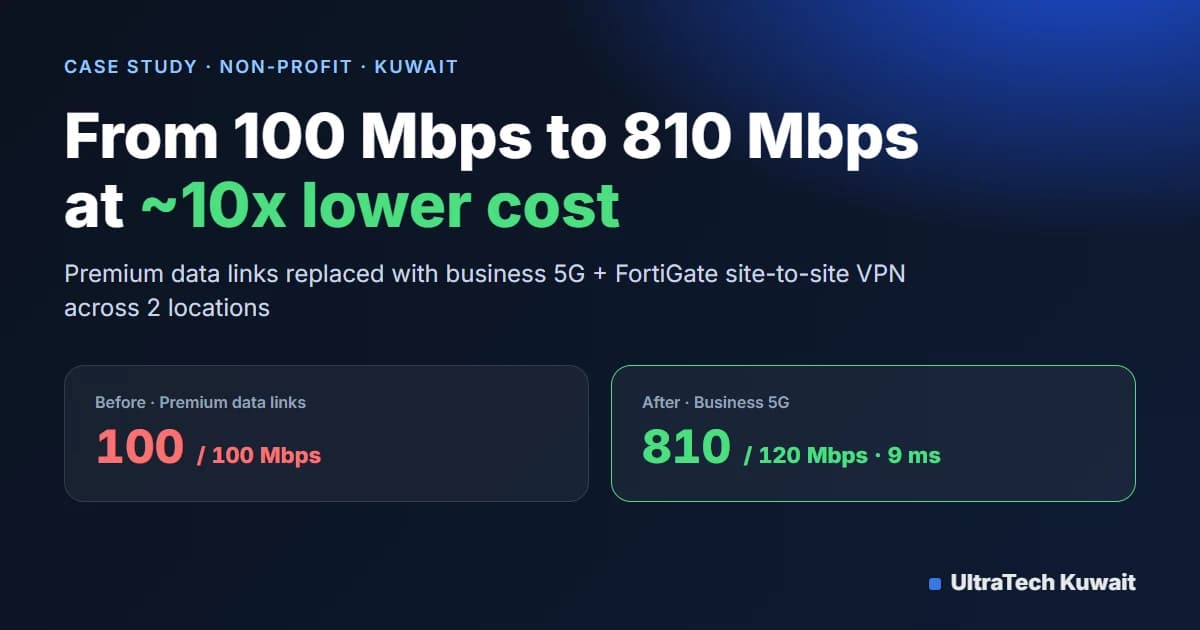 Case study
How a Kuwait Non-Profit Cut Internet Costs 10x and Got 8x Faster Speeds with 5G
Upload 100 Mbps Now: Upload 120 Mbps
UltraTech Kuwait found that a non-profit was paying roughly 10x more than necessary for premium data links capped at about 100 Mbps. By replacing them with business 5G internet at two locations and configuring site-to-site VPN tunnels on the existing FortiGate firewalls, the organization cut its connectivity cost by about 10x, gained speeds above 800 Mbps, and got faster, lower-latency access between sites.
- Business 5G Internet
- Fortinet FortiGate
- Site-to-Site IPsec VPN
- WAN Integration
12 Aug 2026 · 4 min readRead