Stop Buying More Routers: Why Your Home Wi-Fi Keeps Getting Worse in Kuwait
Wi-Fi connected but internet keeps dropping? Learn how extra routers can create DHCP conflicts, double NAT and channel interference in your Kuwait home.
Short answer
Can adding more routers make home Wi-Fi worse?
UltraTech Kuwait's engineers wrote this guide on "Stop Buying More Routers: Why Your Home Wi-Fi Keeps Getting Worse in Kuwait" from work in Kuwait. Adding routers can worsen home Wi-Fi if they run competing DHCP servers, create unwanted separate networks or crowd wireless channels. Keep one main gateway and DHCP authority in a typical home, configure access points and plan coverage before replacing equipment.
Key points
- Diagnose the main connection first.
- Avoid competing DHCP services on a typical home LAN.
- Use AP mode when extending an existing wired network.
- Plan wireless channels and coverage.
- A separate IoT SSID is not automatically security isolation.
More routers do not always mean better Wi-Fi
When Wi-Fi in a Kuwait home becomes unreliable, buying another router seems like the obvious solution. Put one upstairs, another in the diwaniya, another near the bedrooms, and surely the problem should disappear. But if these devices are not configured to work together, the result can be worse than before.
A strong Wi-Fi signal only tells you that your device can communicate with a nearby access point. It does not prove that it has a valid network configuration or a working path to the internet.
What we found in a real Kuwait home
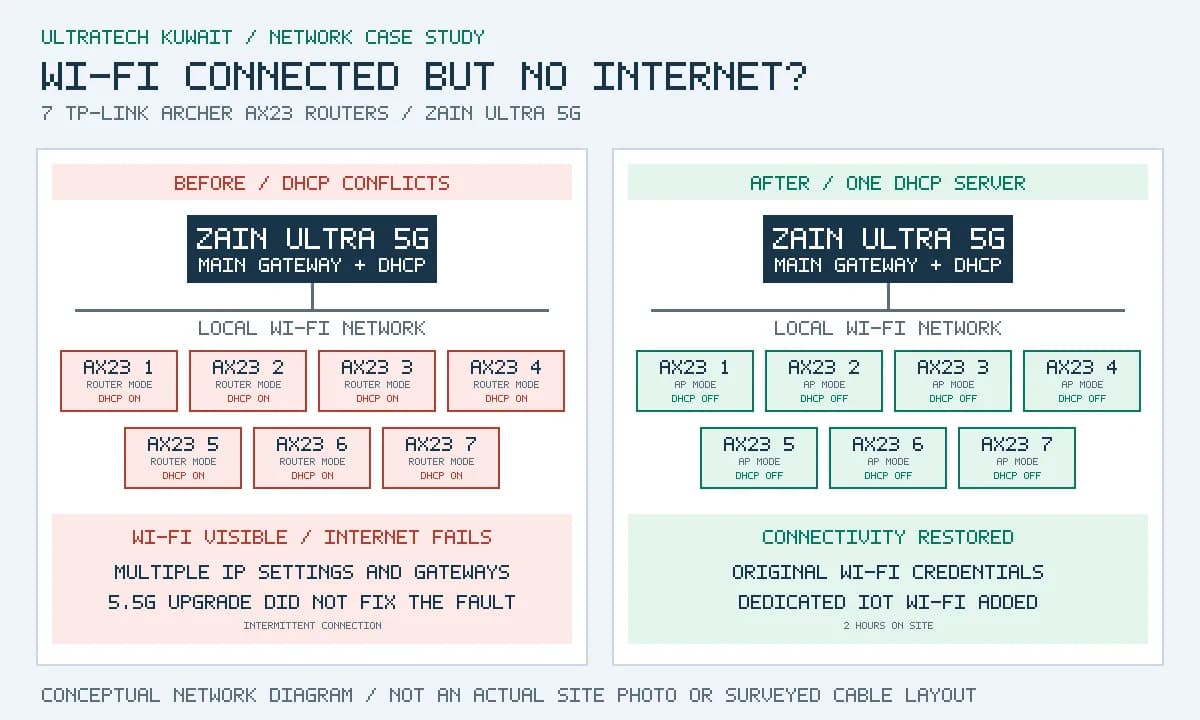
A homeowner contacted UltraTech after repeated interruptions. The Wi-Fi name remained visible, but internet access stopped at random. She had already upgraded her Zain 5G router to Ultra 5G, yet the problem persisted.
During our site visit, we found seven TP-Link Archer AX23 routers running independent DHCP services on the home network. The main Zain router was working correctly. With the client's permission, we reset and reconfigured the seven units as access points, disabled their independent DHCP services, restored the original Wi-Fi credentials and set up a dedicated Wi-Fi name for smart devices. Normal connectivity returned during the two-hour repair.
Read the complete Kuwait home Wi-Fi case study. The illustration accompanying this article explains the configuration before and after the repair; it is not a photograph of the customer's property.
1. Competing DHCP servers
DHCP automatically provides devices with IP addresses, gateway and other network settings. In a typical flat home network, one properly configured DHCP service is sufficient. Uncoordinated DHCP servers on the same local network may provide incompatible settings, leaving devices connected to Wi-Fi but unable to reach the internet.
The symptoms can be confusing: one phone works, another does not, or everything seems fine until a device reconnects. Replacing the internet router does not necessarily correct the configuration of other devices.
2. Router mode versus access point mode
A router connects different networks. An access point extends wireless access to an existing network. Many consumer Wi-Fi routers, including the TP-Link Archer AX23, support both modes.
If a secondary router is intended only to distribute Wi-Fi from the main gateway, access point mode is often the appropriate choice. Verify DHCP settings and follow instructions for the exact hardware and firmware version. Do not disable DHCP on the primary gateway unless another properly configured service is replacing it.
When secondary routers instead create separate networks behind their WAN ports, double NAT may result. This is different from competing DHCP servers and can complicate gaming, device discovery, remote access or some VPN connections.
3. Too many access points on the same channels
Wi-Fi uses shared radio spectrum. Adding access points without planning their channels can increase contention and interference. On 2.4 GHz, channels 1, 6 and 11 are a common non-overlapping 20 MHz plan. Channel choices should reflect local regulatory settings and actual radio conditions.
Concrete walls and floors can attenuate signals. Place access points where coverage is needed rather than concentrating devices near the main router. A wired Ethernet backhaul is preferable where suitable cabling is available.
4. The same Wi-Fi name does not automatically create a mesh
Using the same network name and compatible security settings across access points can simplify connectivity, but it does not guarantee seamless roaming. Client devices generally make their own roaming decisions. A managed Wi-Fi system may assist with roaming and simplify monitoring.
For larger properties, centrally managed systems such as TP-Link Omada, Ruijie Reyee or Ubiquiti UniFi may be worth evaluating. For smaller homes, correctly configuring existing equipment can be enough. The right design depends on layout, cabling, client devices and budget.
5. Smart home devices need careful configuration
Some older smart devices only support 2.4 GHz or have limited security-mode compatibility. A dedicated IoT Wi-Fi name can simplify onboarding and troubleshooting. However, a separate SSID alone does not provide security isolation; that requires suitable network segmentation and firewall rules.
What to check before spending money on another router
- Compare connectivity beside the main router with connectivity in affected rooms.
- Check whether wired devices are also affected.
- Record which devices fail and whether the issue follows a particular access point.
- Identify which equipment assigns IP addresses and acts as the gateway.
- Check secondary router operating modes, cabling and wireless channels.
- Back up configuration and obtain permission before resetting equipment.
Need help diagnosing home Wi-Fi in Kuwait?
UltraTech provides on-site network troubleshooting, access point configuration and residential Wi-Fi design in Kuwait. We aim to identify the cause before recommending replacement hardware.
Contact our team or arrange a site visit.
Technical references: TP-Link Archer AX23 specifications and Cisco wireless connectivity troubleshooting.
Book a Site Survey
Our engineers assess your site; the visit fee is deducted if you go ahead.
Book SurveyQuestions people ask
Can adding more routers make home Wi-Fi worse?
Yes. Poorly configured routers can introduce conflicting DHCP settings, unwanted network boundaries or wireless contention. A properly planned set of access points can improve coverage instead.
Why does Wi-Fi show connected but no internet?
The wireless connection may be working while the internet gateway, DNS, DHCP or ISP connection fails. Compare the main router with affected access points to narrow down the cause.
Should I use access point mode on a second router?
Usually yes if the purpose is to extend an existing wired LAN. Follow the model-specific instructions and confirm that the main gateway remains responsible for IP assignment.
Does using the same Wi-Fi name create a mesh network?
No. A common SSID can simplify connection, but coordinated management, backhaul and client roaming behavior determine how the network performs.
Can I keep my existing routers instead of buying new ones?
Often yes if they support the required modes and meet the coverage and performance needs. UltraTech reused seven AX23 units in a Kuwait home rather than replacing them.
Sources
Planning something similar?
Send us the floor plan or a few photos on WhatsApp. An engineer replies with what the job needs and what it involves.
Read next
All articles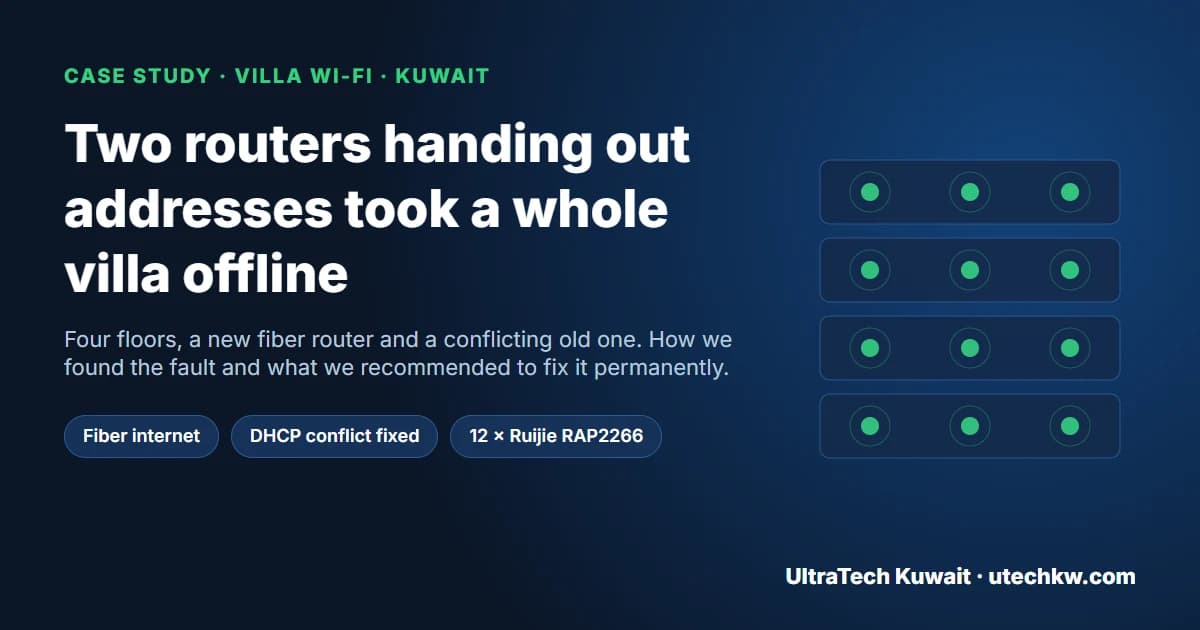 Case study Abu Fatira
Villa Wi-Fi Case Study: Fixing a DHCP Conflict After a New Fiber Router in Kuwait
Two DHCP servers Now: One DHCP source
UltraTech Kuwait found that a villa in Abu Fatira lost its home network because the ISP left the old router active next to the new fiber router, creating a DHCP conflict. We removed the old router, reconfigured the remaining routers as access points and reset the main router, then recommended 12 Ruijie Reyee RAP2266 Wi-Fi 6 access points on one PoE core switch for seamless roaming.
- 12 × Ruijie Reyee RG-RAP2266 Wi-Fi 6
- Ruijie Reyee PoE switches
- Ruijie Cloud app
- Fiber internet, 200 Mbps
12 Sept 2026 · 5 min readRead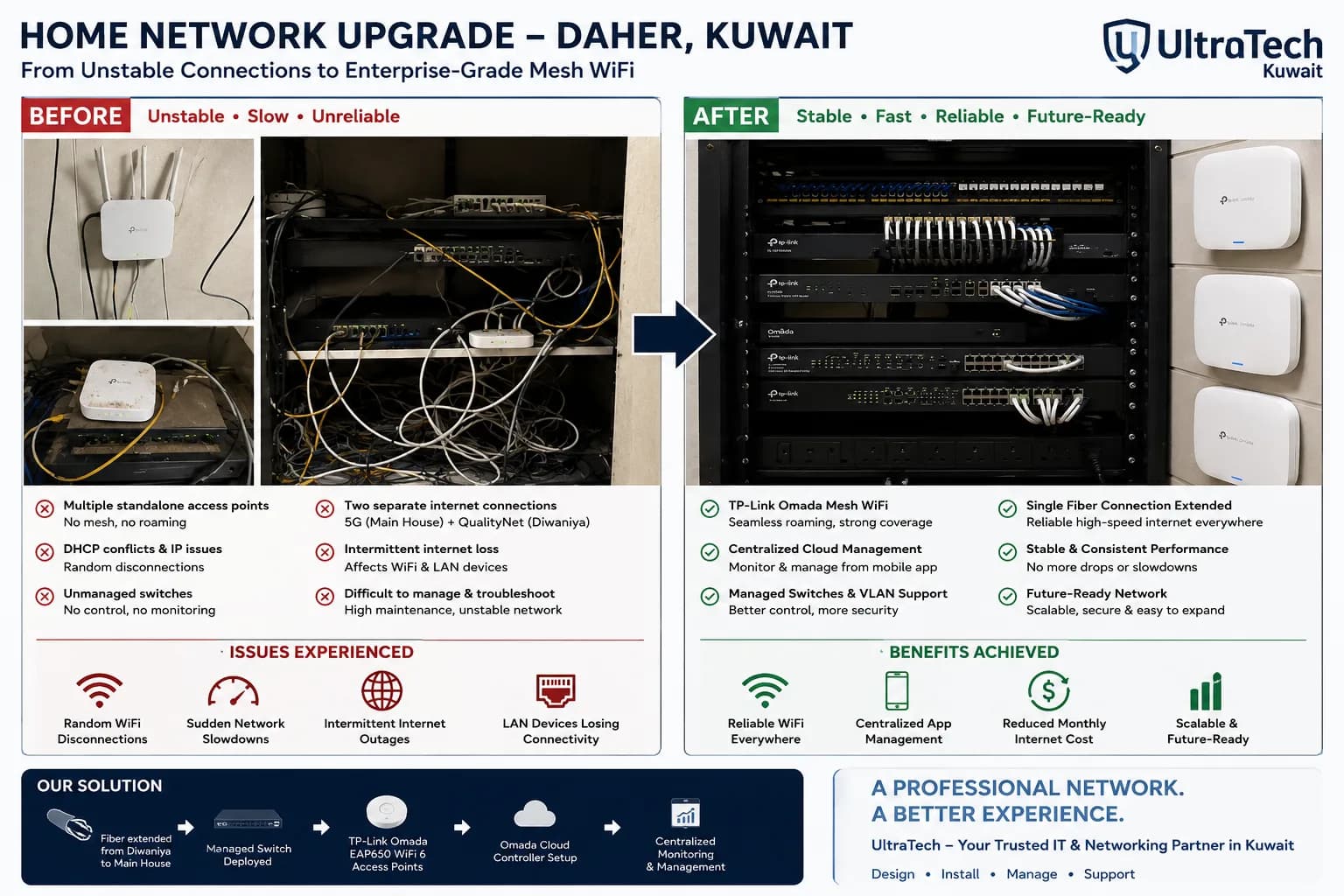 Case study Daher
Transforming an Unstable Home Network into a Reliable Enterprise-Grade Mesh System
Unmanaged switches Now: Managed, scalable network design
This case study demonstrates how UltraTech Kuwait diagnosed and resolved recurring Wi-Fi disconnections, slow internet, and network outages in a large residential property. By replacing standalone access points with a centrally managed TP-Link Omada mesh system and utilizing the property's fiber connection, the network became faster, more reliable, easier to manage, and ready for future expansion.
- TP-Link Omada Wi-Fi 6 access points
- Omada cloud management
- Wired fiber backbone between buildings
- VLAN-ready design
26 Jun 2026 · 5 min readRead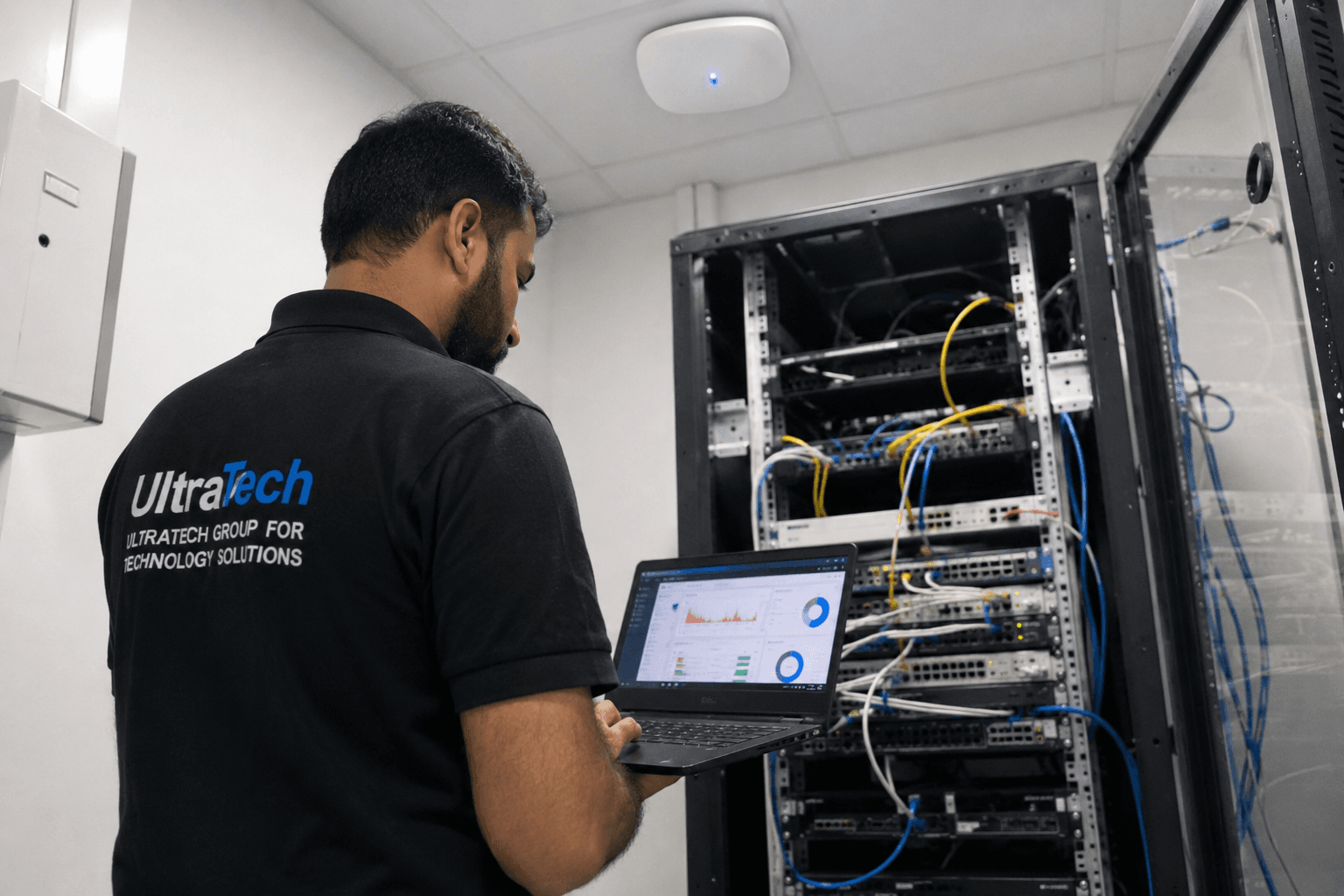 Case study
Enterprise WiFi Network Upgrade for a Multi-Floor Commercial Facility in Kuwait
Slow at peak hours Now: Stable under heavy use
UTechKW completed an enterprise WiFi upgrade for a commercial facility in Kuwait by assessing the existing network, optimizing wireless coverage, improving roaming performance, and implementing centralized network management. The result was a more reliable and scalable wireless infrastructure that improved user experience and supported business operations.
- Wi-Fi site survey
- RF and channel planning
- Central Wi-Fi management
- Separate staff, guest and operations SSIDs
18 Jun 2026 · 3 min readRead
Related services
Brands in this article: TP-Link · Zain · Ruijie Reyee · Ubiquiti