Wi-Fi site survey & heatmap
UltraTech Kuwait carries out Wi-Fi site surveys in Kuwait, measuring signal strength, interference and capacity across your building and delivering a heatmap report with a recommended access point plan. Use it to plan a new installation or to find out why existing Wi-Fi is slow or drops.
Reviewed by Eng. M. Ahmed, Project Manager, IT Operations · Updated
Book a site visit
20 KWDDeducted from your invoice when you go ahead
An engineer visits for Wi-Fi site survey & heatmap, Sunday – Thursday, 9:30 am – 6 pm.
Book a visitor get a quote without a visit →At a glance
- Where
- All six governorates of Kuwait
- Site visit
- 20 KWD, deducted from your invoice
- Response
- Within 4 hours (SLA)
- You receive
- Heatmaps, interference findings, AP plan, written report
- Survey types
- Predictive, on-site, post-install validation
- Report
- Within 2–3 working days of the visit
More in Wireless & Wi-Fi
How much does a Wi-Fi site survey cost in Kuwait?
Typical Kuwait prices in 2026, equipment and installation included. Your exact price is fixed in writing after the site visit (20 KWD, deducted from your invoice when you go ahead).
| Predictive survey from your floor plan (new building or fit-out) | 80 – 200 KWD |
| On-site survey, office or clinic up to 500 m² | 120 – 250 KWD |
| On-site survey, per additional floor or 1,000 m² | 100 – 200 KWD |
| Warehouse or campus, per site | 250 – 700 KWD |
| Post-installation validation with heatmap | 80 – 200 KWD |
What moves the price
- Floor area and number of floors
- Predictive, on-site or both
- Whether we also troubleshoot existing Wi-Fi
- Access hours (after hours for busy sites)
Which Wi-Fi survey do you need?
The survey fee is credited against the installation when we also install the Wi-Fi.
| Situation | Survey | What it answers |
|---|---|---|
| New building or fit-out, walls not built yet | Predictive | How many access points, where, and what it costs |
| Existing Wi-Fi is slow or drops | On-site (troubleshooting) | Why: coverage, capacity, interference or settings |
| Replacing old access points | On-site, then predictive | Which APs to keep, move or add |
| Wi-Fi just installed | Validation | Proof that every area meets the agreed signal |
What to send before a Wi-Fi survey
With these, the survey takes less time on site and the report is more accurate.
Plans
- Floor plans (PDF or CAD), to scale
- Wall materials if known: block, concrete, glass, gypsum
- Areas that matter most (meeting rooms, reception, warehouse aisles)
Use
- How many people connect per area at the busiest time
- Calls on Wi-Fi, scanners or other critical devices
- Where complaints come from today
Access
- A contact on site and access to ceilings or racks
- Admin access to the current controller, if any
- Times when surveying won't disturb staff
Predictive, passive or active: which survey?
Three ways to survey Wi-Fi. Most jobs combine two: predictive to plan, then passive or active to prove.
| Survey | How it works | Answers | Use it when |
|---|---|---|---|
| Predictive | Wi-Fi modelled on your floor plan with real wall materials | How many access points, where, at what cost | The building is not built or not fitted yet |
| Passive (on-site) | An engineer walks every area measuring signal and interference | Where coverage is weak and what interferes | Wi-Fi exists and has problems, or before replacing it |
| Active (on-site) | Devices connect and measure real speed, delay and roaming | Whether calls and apps actually work | Voice, video or warehouse scanners must work everywhere |
| Validation | Passive and active checks after installation | Proof that the agreed targets are met | At handover of any new Wi-Fi |
What people ask before they hire
How much does a Wi-Fi site survey cost in Kuwait?
Typically 120–250 KWD on site for an office or clinic up to 500 m², and 80–200 KWD for a predictive survey from a floor plan. Warehouses and campuses are 250–700 KWD per site.
What is a Wi-Fi heatmap?
A colour map of measured signal strength over your floor plan, so weak areas, overlaps and interference are visible at a glance.
What is the difference between a predictive and an on-site survey?
A predictive survey models the Wi-Fi from your floor plan and wall materials before anything is installed. An on-site survey measures the real signal and interference in the building.
Do I need a survey if I only have weak Wi-Fi in one room?
A short on-site survey usually finds the cause in one visit. Often it is a setting or a misplaced access point, not missing equipment.
How long does a survey take?
An office floor takes 2–4 hours on site. You receive the report and heatmaps within 2–3 working days.
Is the survey brand-neutral?
Yes. The report recommends what fits your building and budget, and you can install with anyone.
Is the survey cost deducted if you install?
Yes. The survey fee is credited against the installation when we install the Wi-Fi.
What Wi-Fi surveys in Kuwait usually find
The most common causes behind 'the Wi-Fi is bad', in order of how often we see them.
01Too many people on one access point
Our fix: Coverage is fine, capacity is not. The report adds or moves APs where people sit.
02Neighbouring networks on the same channels
Our fix: Towers and shared buildings in Kuwait are crowded. We set clean channels and narrower widths.
03Access points hidden above false ceilings or in cupboards
Our fix: Metal and concrete cut the signal. We move them into the open.
04Mesh extenders chained in a line
Our fix: Each hop halves the speed. We plan cabled access points instead.
05Old 2.4 GHz-only devices slowing everyone down
Our fix: We separate them onto their own network.
What do you get at handover?
Heatmaps
Signal, noise and channel maps over your floor plan.
Findings
What is wrong and why, in plain language.
Access point plan
Where each AP should go, marked on the plan.
Equipment options
Models and quantities in two or three budgets.
Settings to change
Channels, power and network settings to fix now.
Fixed quote
If you want us to carry out the plan.
What is in the survey report?
A PDF you keep, written so a manager can read the findings and an engineer can act on them.
| Document | What it is for | When |
|---|---|---|
| Signal heatmaps | Coverage per floor and band (2.4, 5 and 6 GHz) | Every survey |
| Signal-to-noise and interference maps | Where neighbouring networks or devices drown your Wi-Fi | On-site surveys |
| Channel and overlap map | Which access points clash and how to re-plan channels | On-site surveys |
| Findings in plain language | What is wrong and why, ranked by impact | Every survey |
| Access point plan | Where each AP should go, with mounting height | Every survey |
| Equipment options | Models and quantities in two or three budgets | When new APs are needed |
| Settings to change now | Channel, power and band changes that fix problems without buying anything | Existing Wi-Fi |
How does it work?
- Step 1
Floor plan and goals
You send a plan; we ask how many people and devices use each area.
- Step 2
Measure
An engineer walks every area with survey equipment, out of hours if needed.
- Step 3
Analyse
Coverage, capacity and interference compared against your needs.
- Step 4
Report
Heatmaps, findings and an AP plan within 2–3 working days.
Our recent network work in Kuwait
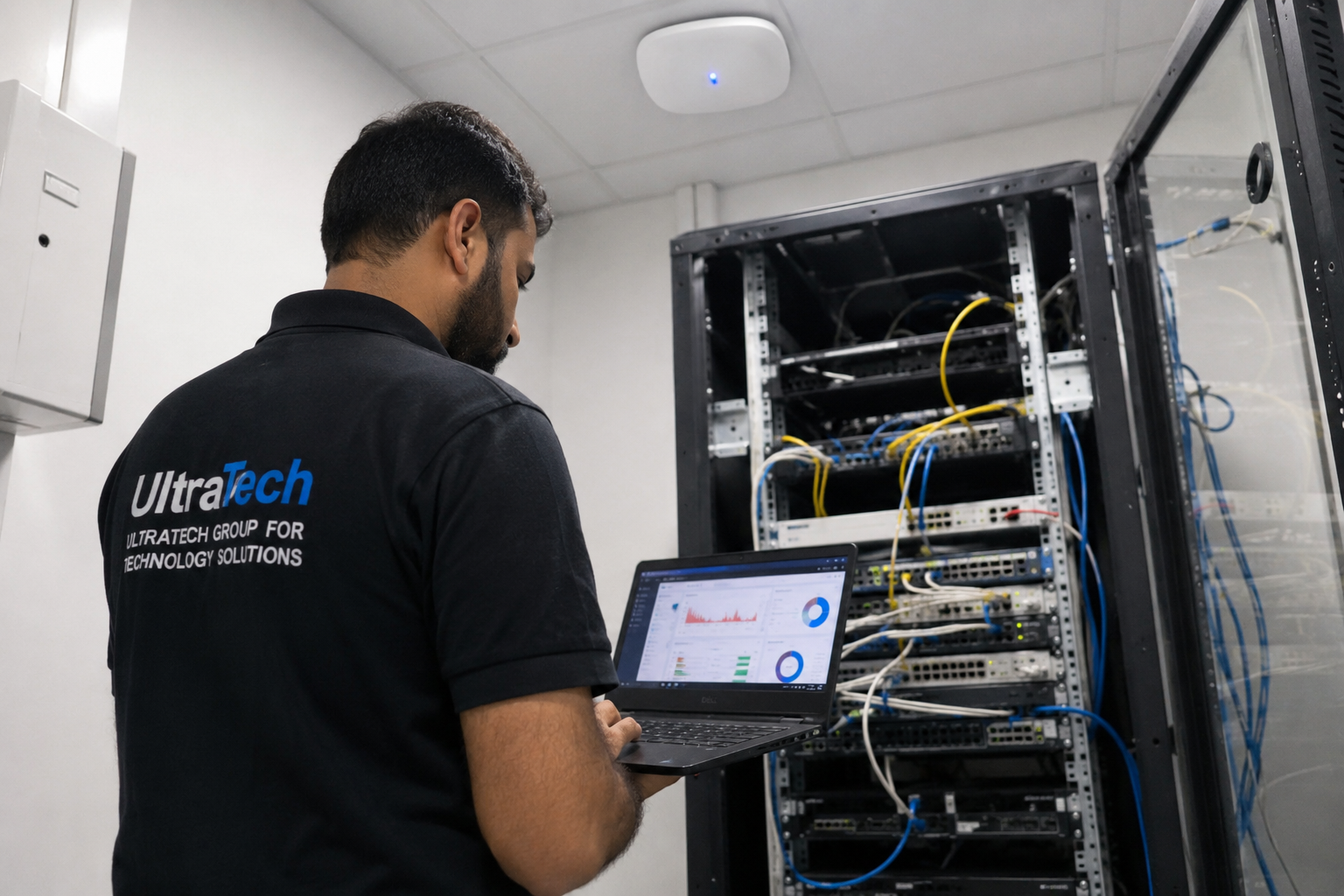 Multi-floor commercial Wi-Fi upgradeEnterprise Wi-Fi rebuilt across every floor of a commercial facility.Read the case study →
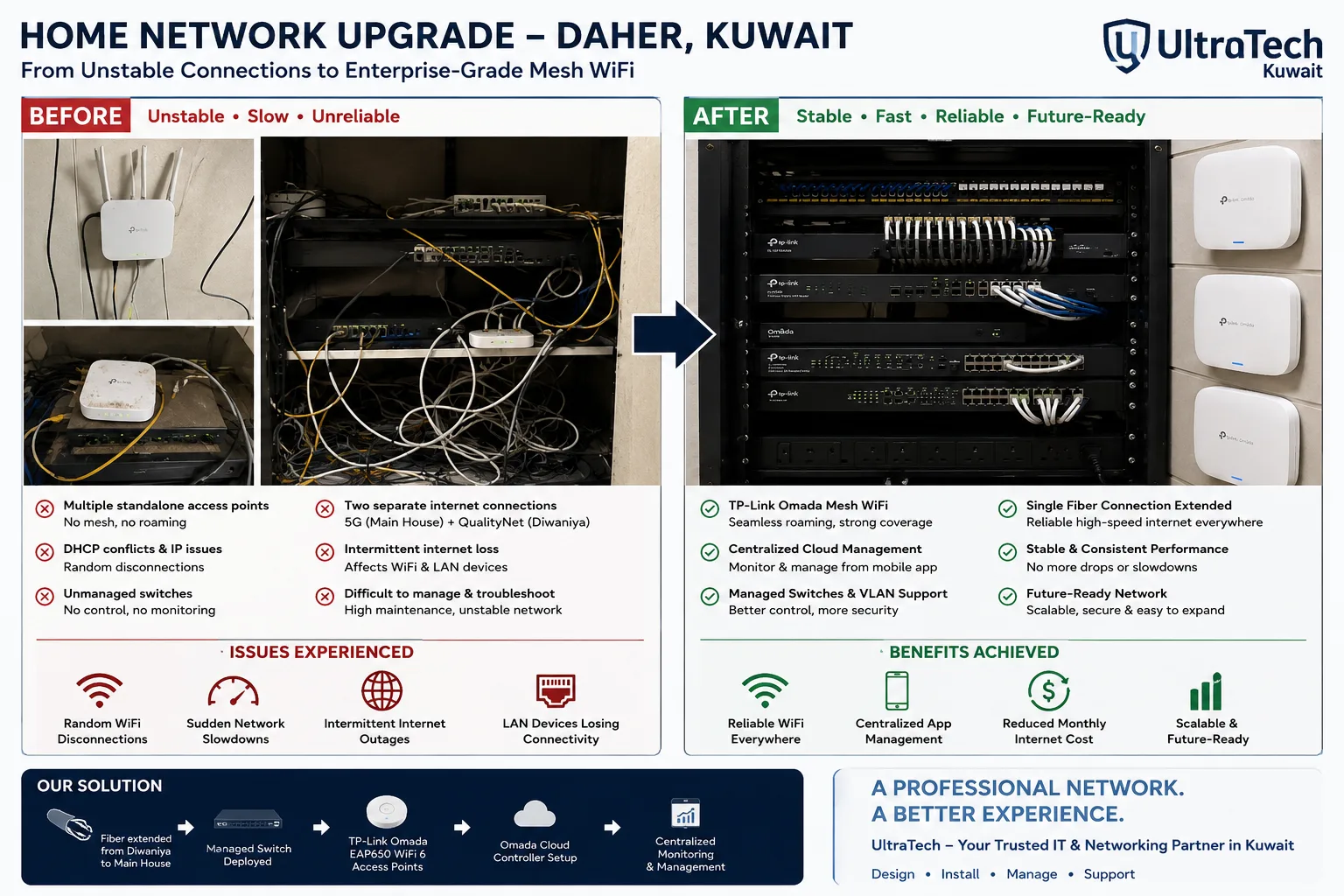 Two-building Omada mesh network, Daher7–8 unstable access points replaced by one managed Omada network across two buildings.Read the case study →
 Mission-critical warehouse networkEnterprise Wi-Fi and switching for a major logistics operator's warehouse in Kuwait.Read the case study →
Who does the work
The delivery team behind every project, from our team page.
What does a Wi-Fi survey measure?
Each map answers a different question about your Wi-Fi.
- 01Floor plan and wall materials
- 02Signal strength (RSSI)
- 03Signal-to-noise ratio
- 04Channel overlap and interference
- 05Capacity per area
- 06Access point plan
Standards and specifications
Bands
2.4, 5 and 6 GHz measured where your devices use them.
Target signal
−67 dBm or better for voice and video, −70 dBm for data.
Signal-to-noise
25 dB or better in working areas.
Overlap
Enough overlap between APs for calls to roam cleanly.
Interference
Neighbouring networks and non-Wi-Fi sources identified.
Deliverable
PDF report with heatmaps per floor and band.
Which equipment do we install?
 Ubiquiti UniFi U7 Pro WiFi 7 Access PointUbiquiti Networks · UBNT Indoor Access PointsWe supply and install →
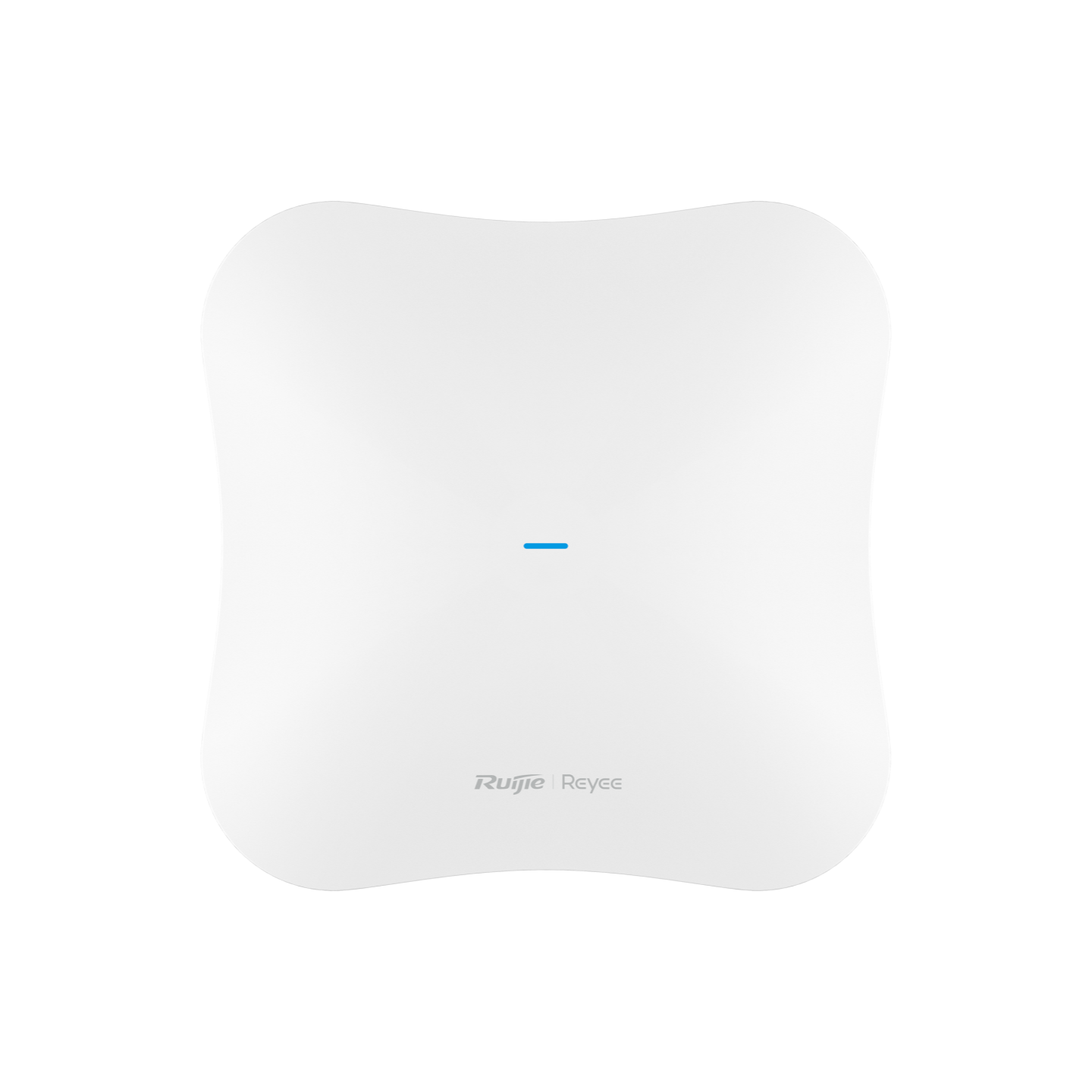 Ruijie Reyee RG-RAP73HD WiFi 7 Tri-Radio Ceiling Access PointRuijie Reeye · Indoor Wi-Fi Access PointsWe supply and install →
 Ubiquiti UniFi U6 Enterprise WiFi 6E Access PointUbiquiti Networks · UBNT Indoor Access PointsWe supply and install →
 Enterprise Access Point Repair & Calibration ServiceOthers · Corporate ServicesWe supply and install →
Wi-Fi survey terms, explained
- RSSI (signal strength)
- How strong the Wi-Fi signal is at a spot, in dBm; −67 dBm or better is the usual target for calls.
- SNR (signal-to-noise ratio)
- How far the signal stands above background noise; 25 dB or more is good.
- Co-channel interference
- Access points on the same channel slowing each other down; common in Kuwait towers and shared buildings.
- Heatmap
- A colour map of a measured value (signal, noise, speed) over the floor plan.
- Predictive survey
- Wi-Fi modelled in software from the floor plan, before anything is installed.
- Passive / active survey
- Passive listens to the Wi-Fi; active connects and measures real speed and roaming.
- Capacity planning
- Sizing Wi-Fi for how many people connect at once, not just for coverage.
Keep exploring
Book a site visit and get a written quote
20 KWD, deducted from your invoice when you go ahead. We reply within working hours.