Point-to-point wireless links
UltraTech Kuwait installs point-to-point wireless links in Kuwait that connect buildings, warehouses and sites without digging or leasing lines. We check line of sight, mount and align the radios, and test the link speed before handover.
Reviewed by Eng. M. Ahmed, Project Manager, IT Operations · Updated
Book a site visit
20 KWDDeducted from your invoice when you go ahead
An engineer visits for Point-to-point wireless links, Sunday – Thursday, 9:30 am – 6 pm.
Book a visitor get a quote without a visit →At a glance
- Where
- All six governorates of Kuwait
- Site visit
- 20 KWD, deducted from your invoice
- Response
- Within 4 hours (SLA)
- Distance
- From 50 m to 10 km+, with clear line of sight
- Speed
- Up to 1–10 Gbps, depending on radio and distance
- Installed in
- Usually one day per link
More in Wireless & Wi-Fi
How much does a point-to-point wireless link cost in Kuwait?
Typical Kuwait prices in 2026, equipment and installation included. Your exact price is fixed in writing after the site visit (20 KWD, deducted from your invoice when you go ahead).
| Short link up to ~500 m (e.g. gate house, warehouse, villa annex) | 150 – 350 KWD |
| Building-to-building link up to ~1 km, 1 Gbps+ | 250 – 900 KWD |
| Long link 2–10 km (farms, remote sites) | 500 – 1,800 KWD |
| Mast or pole for line of sight | 40 – 250 KWD |
| Second link as backup | from 150 KWD |
What moves the price
- Distance and line of sight
- Speed needed
- Mast height and mounting
- Licensed or licence-free band
Which wireless link fits your distance?
Real throughput in Kuwait conditions, with margin for dust and heat. The site visit checks line of sight from both ends.
| Distance | Typical use | Real speed | Radio class |
|---|---|---|---|
| Up to 500 m | Gate house, cameras, annex | 300 Mbps – 1 Gbps | Compact 5 GHz or 60 GHz bridge |
| 0.5 – 2 km | Office to warehouse, two buildings | 1 – 2 Gbps | 60 GHz with 5 GHz backup |
| 2 – 10 km | Farms, remote sites, branches | 200 Mbps – 1 Gbps | 5 GHz high-gain dishes |
| Short, very high speed | Data rooms between buildings | Up to 10 Gbps | 60 GHz XG radios |
Before planning a wireless link
What we need from both ends of the link.
Both ends
- Location of each building (map pin)
- Roof or wall access at each end
- Power and a network cabinet at each end
Path
- Buildings, trees or cranes between the ends
- New construction planned along the path
- Distance, if known
Use
- What runs over the link: internet, cameras, phones
- Speed needed today and in 3 years
- Whether the far site can ever go offline
What decides whether a wireless link works?
Distance alone is not enough. These six things are checked for every link we plan.
| Factor | What it means | How we handle it |
|---|---|---|
| Line of sight | The two radios must see each other | Checked from both ends on the site visit; masts where something blocks |
| Fresnel zone | The oval around the line must be mostly clear, not just the line itself | Mounting height raised until at least 60% of it is clear |
| Fade margin | Spare signal for dust storms, heat haze and rain | Links sized with extra margin for Kuwait conditions |
| Interference | Other radios on the same frequencies nearby | Spectrum scanned before the channel is chosen |
| Mounting | Wind moves badly fixed dishes and the link drops | Rigid brackets; alignment checked at handover |
| Equipment | Consumer Wi-Fi gear is not made for links between buildings | Purpose-built point-to-point radios from established manufacturers |
What people ask before they hire
How much does a point-to-point wireless link cost in Kuwait?
Typically 250–900 KWD for a building-to-building link up to about 1 km, installed and aligned. Short links under 500 m start around 150 KWD; long links of 2–10 km cost 500–1,800 KWD.
Do I need line of sight?
Yes. Both ends must see each other with a clear path. Where a building or trees block it, we raise the radios on a mast or add a relay point.
Does dust or rain affect the link?
Heavy dust storms can reduce the signal on long or 60 GHz links. We size each link with margin, and critical links get an automatic 5 GHz backup.
Is it as reliable as fiber?
A well-planned link runs for years with very little downtime. Fiber is still more reliable where ducts exist; wireless wins where digging is impossible or too costly.
Can it carry cameras and phones as well as internet?
Yes. The link behaves like a long network cable: cameras, phones and Wi-Fi at the far end all join your main network.
How long does installation take?
Usually one day per link, including mounting, alignment, testing and handover.
How much is a site visit?
20 KWD, deducted from your invoice when you go ahead. We check line of sight and mounting points at both ends.
Why wireless links fail in Kuwait, and how we avoid it
What we find when called to fix links someone else installed.
01Radios mounted on a loose pole
Our fix: Wind moves the dish and the link drops. We use rigid brackets and check alignment at handover.
02Sized for a clear day
Our fix: The first dust storm cuts it. We plan fade margin for Kuwait conditions.
03No surge protection on the cable
Our fix: One surge destroys both radios and the switch. Every run is protected and earthed.
04Consumer Wi-Fi extenders used as a bridge
Our fix: They were never made for it. We use purpose-built point-to-point radios.
05A single link for a critical building
Our fix: When it fails, the building is offline. We add a backup link that takes over automatically.
What do you get at handover?
Link report
Signal, speed and margin measured at handover.
Aligned and fixed
Rigid mounts, sealed connectors, surge protection.
Part of your network
The far end joins your VLANs, cameras and Wi-Fi.
Remote monitoring
Link status visible in the controller.
Documents
Site plan, settings and passwords.
One contact
The engineer who built it stays your point of contact.
How does it work?
- Step 1
Site visit
Line of sight, distance and mounting at both ends. 20 KWD, credited to your invoice.
- Step 2
Link plan and fixed quote
Radios, masts and expected speed, with the price.
- Step 3
Install and align
Usually one day per link.
- Step 4
Test and hand over
Speed and margin measured; report handed over.
Our recent network work in Kuwait
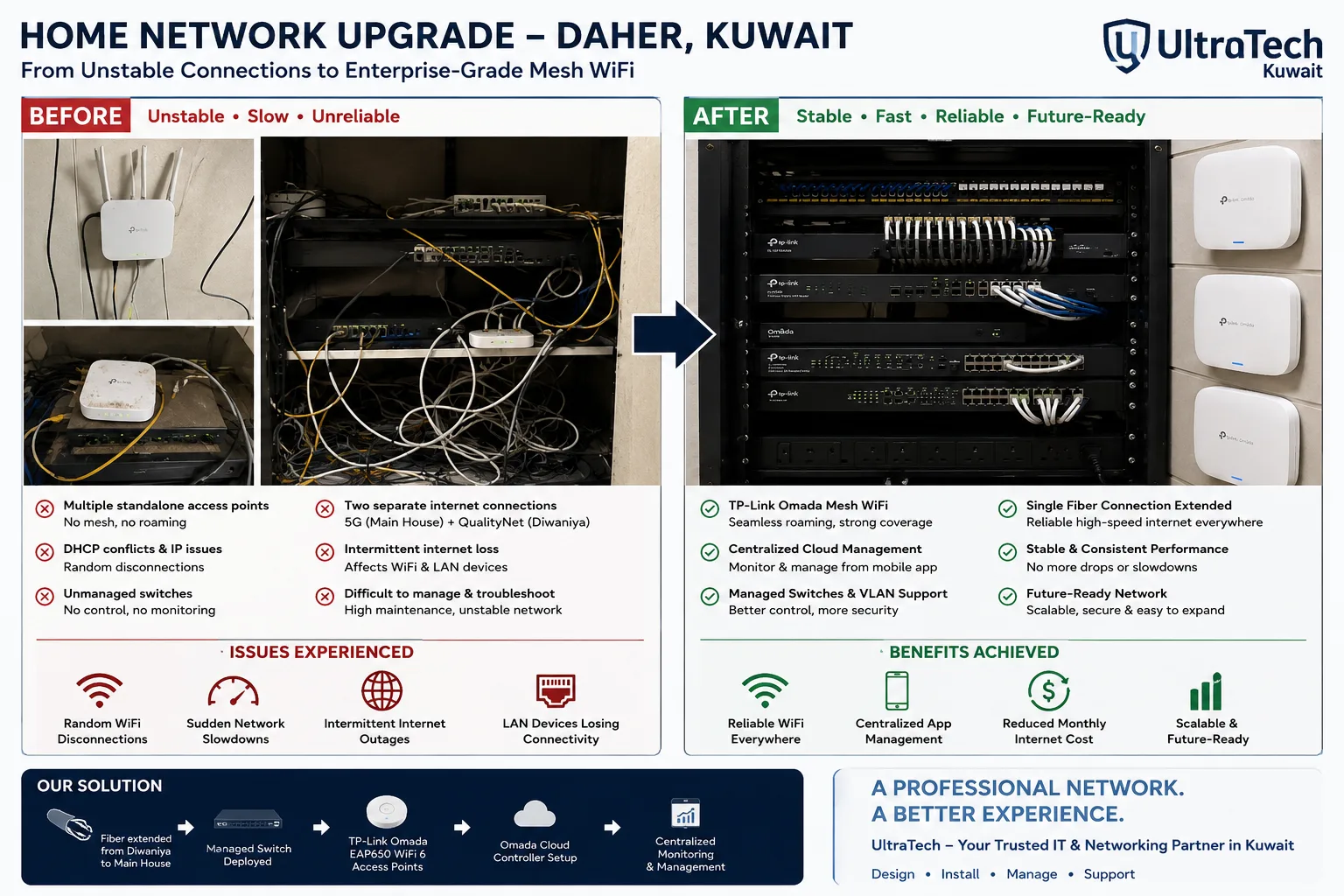 Two-building Omada mesh network, Daher7–8 unstable access points replaced by one managed Omada network across two buildings.Read the case study →
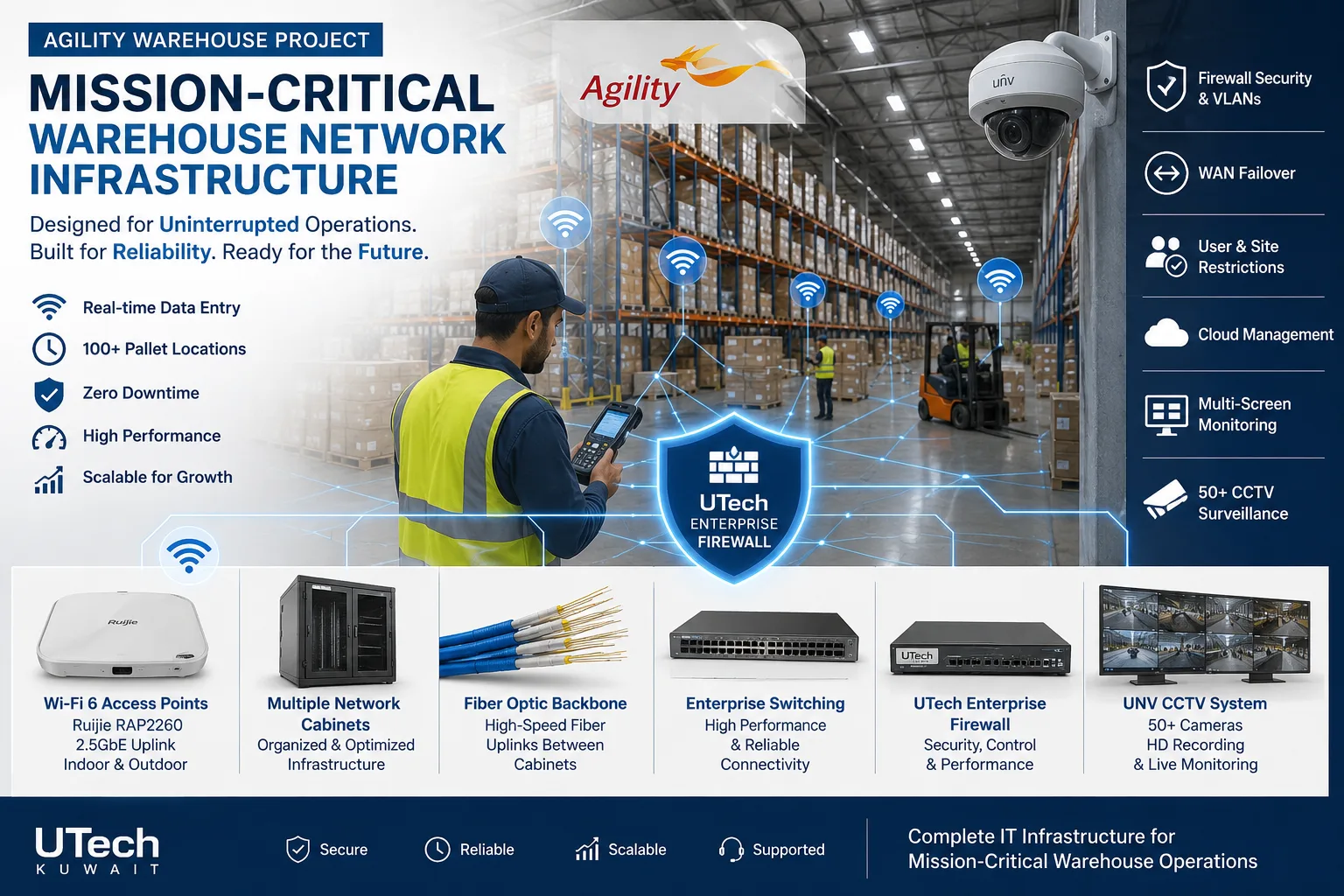 Mission-critical warehouse networkEnterprise Wi-Fi and switching for a major logistics operator's warehouse in Kuwait.Read the case study →
Who does the work
The delivery team behind every project, from our team page.
How does a wireless link connect two sites?
It works like a very long network cable between two switches.
- 01Main building switch
- 02Surge protector
- 03Radio A on bracket or mast
- 04Clear line of sight
- 05Radio B at the far site
- 06Far-site switch, cameras and Wi-Fi
Standards and specifications
Bands
60 GHz for short high-speed links, 5 GHz for distance and backup.
Margin
Fade margin sized for Kuwait dust and heat.
Mounting
Rigid brackets or masts; alignment checked at handover.
Protection
Surge protection and earthing at both ends.
Redundancy
Optional automatic backup link for critical sites.
Monitoring
Link health visible in the network controller.
Which equipment do we install?
 Ubiquiti Building Bridge (UBB) Wireless BridgeUbiquiti Networks · Ubiquiti Wireless BridgeWe supply and install →
 Ubiquiti Building Bridge XG (UBB-XG) Wireless BridgeUbiquiti Networks · Ubiquiti Wireless BridgeWe supply and install →
 Ubiquiti Device Bridge Pro (UDB-Pro) Wireless BridgeUbiquiti Networks · Ubiquiti Wireless BridgeWe supply and install →
 Ubiquiti Device Bridge (UDB) Wireless PoE BridgeUbiquiti Networks · Ubiquiti Wireless BridgeWe supply and install →
Wireless link terms, explained
- Point-to-point (PtP)
- One radio talking to exactly one other radio, like a long network cable through the air.
- Point-to-multipoint (PtMP)
- One central radio serving several remote sites, e.g. a farm house to stables and gate.
- Line of sight (LoS)
- A clear visual path between the two radios; required for reliable links.
- Fresnel zone
- The oval-shaped space around the line of sight that must be mostly clear for full signal.
- Fade margin
- Spare signal strength that keeps the link up during dust storms and heat haze.
Keep exploring
Book a site visit and get a written quote
20 KWD, deducted from your invoice when you go ahead. We reply within working hours.