Network upgrade & migration
UltraTech Kuwait upgrades and migrates existing business networks in Kuwait, replacing ageing switches, Wi-Fi and firewalls and tidying the cabling behind them. We audit what you have, plan the change in phases and cut over after hours, so staff start the next morning on the new network.
Reviewed by Eng. M. Ahmed, Project Manager, IT Operations · Updated
Book a site visit
20 KWDDeducted from your invoice when you go ahead
An engineer visits for network upgrade & migration, Sunday – Thursday, 9:30 am – 6 pm.
Book a visitor get a quote without a visit →At a glance
- Where
- All six governorates of Kuwait
- Site visit
- 20 KWD, deducted from your invoice
- Response
- Within 4 hours (SLA)
- Downtime
- Cut-over after hours, with a tested rollback plan
- Starts with
- An audit of what you have and what fails
- After-care
- AMC from 50 KWD / month
More in Network Design & Installation
How much does a network upgrade cost in Kuwait?
Typical Kuwait prices in 2026, equipment and installation included. Your exact price is fixed in writing after the site visit (20 KWD, deducted from your invoice when you go ahead).
| Network audit and health report (one office) | 100 – 300 KWD |
| Network audit, multi-floor or multi-site | 300 – 800 KWD |
| Switch replacement, 24–48 port PoE, configured and cut over | 250 – 900 KWD each |
| Firewall replacement and rules migration | 300 – 1,500 KWD |
| Wi-Fi access point replacement | 60 – 180 KWD each |
| Typical small-office refresh (firewall, switch, 2–3 access points) | 900 – 2,500 KWD |
What moves the price
- How much of the old network can be kept
- Number of switches, access points and sites
- Firewall rules and VPNs to migrate
- Cut-over outside working hours
Upgrade, replace or rebuild: which does your network need?
What we usually recommend, from what the audit finds.
| What the audit finds | Usual answer | Typical work | Downtime |
|---|---|---|---|
| Slow in places, equipment under 5 years old | Tune and fix | Re-configure, re-patch, add access points | None to a few minutes |
| Unmanaged or failing switches, old Wi-Fi | Replace in phases | New switches and access points, same cabling | One evening per phase |
| End-of-life firewall, no separation | Security upgrade | New firewall, VLANs, guest network | One evening |
| Tangled cabling, no labels, nothing documented | Rebuild | Recabling, new rack, new equipment | Planned over a weekend |
Signs your network needs an upgrade
Two or more of these usually means an audit pays for itself. Tick what you recognise and bring it to the site visit.
Performance
- Slow when everyone is in the office
- Wi-Fi drops in meeting rooms or when people move
- Calls break up on Teams, Zoom or IP phones
- Cloud apps feel slower than at home
Security
- Equipment past its end-of-support date
- Firmware not updated in over a year
- Guests and staff on the same network
- No firewall, or the ISP router does it all
Age and reliability
- Switches or access points over 7 years old
- Consumer routers or extenders in the office
- Ports or devices that need a restart to work
- Nobody knows how it is set up
Business change
- More staff, a new floor or a second branch
- New cameras, phones or cloud systems
- An audit or client asking about security
- Moving to Wi-Fi 6/7 or multi-gig
How long does network equipment last?
Typical working life in an office. Replace at end of security support, not when it finally fails; the support date is on the manufacturer's site, and we check it in the audit.
| Equipment | Typical life | When to replace | Example |
|---|---|---|---|
| Consumer router or switch | 3–5 years | As soon as the office relies on it | ISP router doing Wi-Fi, firewall and switching |
| Managed business switch | 7–10 years | At end of security support | Cisco Catalyst 2960-X: security support ends 31 Oct 2027; successor Catalyst 9200L |
| Wi-Fi access point | 5–7 years | When Wi-Fi 5 can't carry the load, or support ends | Wi-Fi 5 units replaced by Wi-Fi 6 or 7 |
| Business firewall | 5–7 years | At end of support, or when it slows the internet line | Security licences must also be renewed yearly |
| Cat5e cabling | 15+ years | When it limits speed or PoE | Keep it if it tests clean; recable failing runs only |
| Cat6 / Cat6A cabling | 20+ years | Rarely; usually outlives several equipment cycles | The part of the network worth investing in |
How does an upgrade run without stopping the office?
The pattern we follow for every upgrade, from a five-person office to a full floor.
- 1
Audit
Week 1
Every device, port and setting recorded; end-of-support dates checked.
- 2
Plan and price
Week 1–2
What to keep, replace or rebuild, with a fixed price and a rollback plan.
- 3
Staging
Before cut-over
New equipment configured and tested in advance, off site or after hours.
- 4
Cut-over
One evening or weekend
Old equipment swapped, every service tested before staff return.
- 5
Hypercare
First working week
An engineer on call for anything that behaves differently.
Which brand should you upgrade to?
You do not have to stay with the brand you have. We compare staying against switching on price, features and who will manage it.
| Brand | Best for | Why | Cost |
|---|---|---|---|
| Ubiquiti UniFi | Small and growing offices | One app for switches, Wi-Fi and firewall; no licence fees | $$ |
| TP-Link Omada | Budget-conscious small offices | Cloud or local controller; lowest cost per port | $ |
| Ruijie Reyee | Small offices, shops, clinics | Free cloud app; strong Wi-Fi 6 and Wi-Fi 7 range | $ |
| Aruba (HPE) | Growing to enterprise offices | Instant On for small sites; CX switching and Central for larger ones | $$$ |
| Cisco | Enterprise and regulated sectors | Industry standard, long support life, most IT teams know it | $$$$ |
| MikroTik | Routing-heavy or multi-site setups | Very flexible and low cost; needs an engineer to manage | $ |
What people ask before they hire
How much does a network upgrade cost in Kuwait?
An audit costs 100–300 KWD for one office. A typical small-office refresh with a new firewall, switch and 2–3 access points costs 900–2,500 KWD. The exact price follows the audit.
Will our office stop working during the upgrade?
No. New equipment is configured and tested beforehand, and the switch-over happens after hours with a rollback plan if anything misbehaves.
Can you keep our existing cabling?
Usually, yes. We test it first; only faulty or undersized runs are replaced.
How do we know what to replace first?
The audit ranks every problem by impact and cost, so you can upgrade in phases and spread the budget.
Can you migrate our firewall rules and VPNs?
Yes. We document the current rules, clean out what is no longer used and move the rest to the new firewall, including site-to-site and remote-access VPNs.
Our Wi-Fi drops when the office is full. Is it the internet?
Often not. Too few or badly placed access points, or old models, are the usual cause. The audit measures it before anything is bought.
Do you work with networks another company installed?
Yes. We audit and document any network, whoever built it.
Is it safe to keep network equipment past its end-of-support date?
It keeps working, but it stops receiving security fixes. More than four in ten vulnerabilities exploited in 2025 were in end-of-life equipment, so internet-facing devices like firewalls should be replaced first.
We still use Cisco Catalyst 2960-X switches. Do we need to replace them?
Cisco ends security support for the 2960-X family on 31 October 2027, and software updates already stopped in 2023. Plan the replacement now; the Catalyst 9200L is Cisco's successor, and Aruba, UniFi or Ruijie are lower-cost alternatives.
How much is a site visit?
20 KWD, deducted from your invoice when you go ahead.
Why Kuwait office networks slow down, and what the upgrade fixes
The causes our audits find most often.
01Equipment past end of support
Our fix: No security updates and failing power supplies. We replace it in phases, starting with the firewall and core.
02Consumer routers and unmanaged switches
Our fix: Bought one at a time as the office grew. We consolidate onto managed equipment you can see and control.
03Wi-Fi extenders and mesh bolted on
Our fix: Each hop halves the speed. We replace them with cabled ceiling access points.
04Firewall rules nobody understands
Our fix: Years of exceptions left open. We document, clean up and migrate only what is needed.
05Nobody knows what is plugged in where
Our fix: We map every port and leave labels, drawings and an IP plan.
What do you get at handover?
Audit report
What is installed, what fails and what to replace first.
Phased plan
Order of work, downtime windows and a fixed price.
Pre-configured equipment
Set up and tested before it reaches your office.
After-hours cut-over
With a rollback plan and a check the next morning.
Updated documents
Drawings, port map, IP plan and passwords.
Old equipment
Returned to you, or wiped and disposed of.
How does it work?
- Step 1
Audit
We map the current network and measure its problems.
- Step 2
Plan
A phased plan and fixed quote, agreed with you.
- Step 3
Prepare
New equipment configured and tested in advance.
- Step 4
Cut over
After hours, with rollback ready; then documents and handover.
Our recent network work in Kuwait
 Multi-floor commercial Wi-Fi upgradeEnterprise Wi-Fi rebuilt across every floor of a commercial facility.Read the case study →
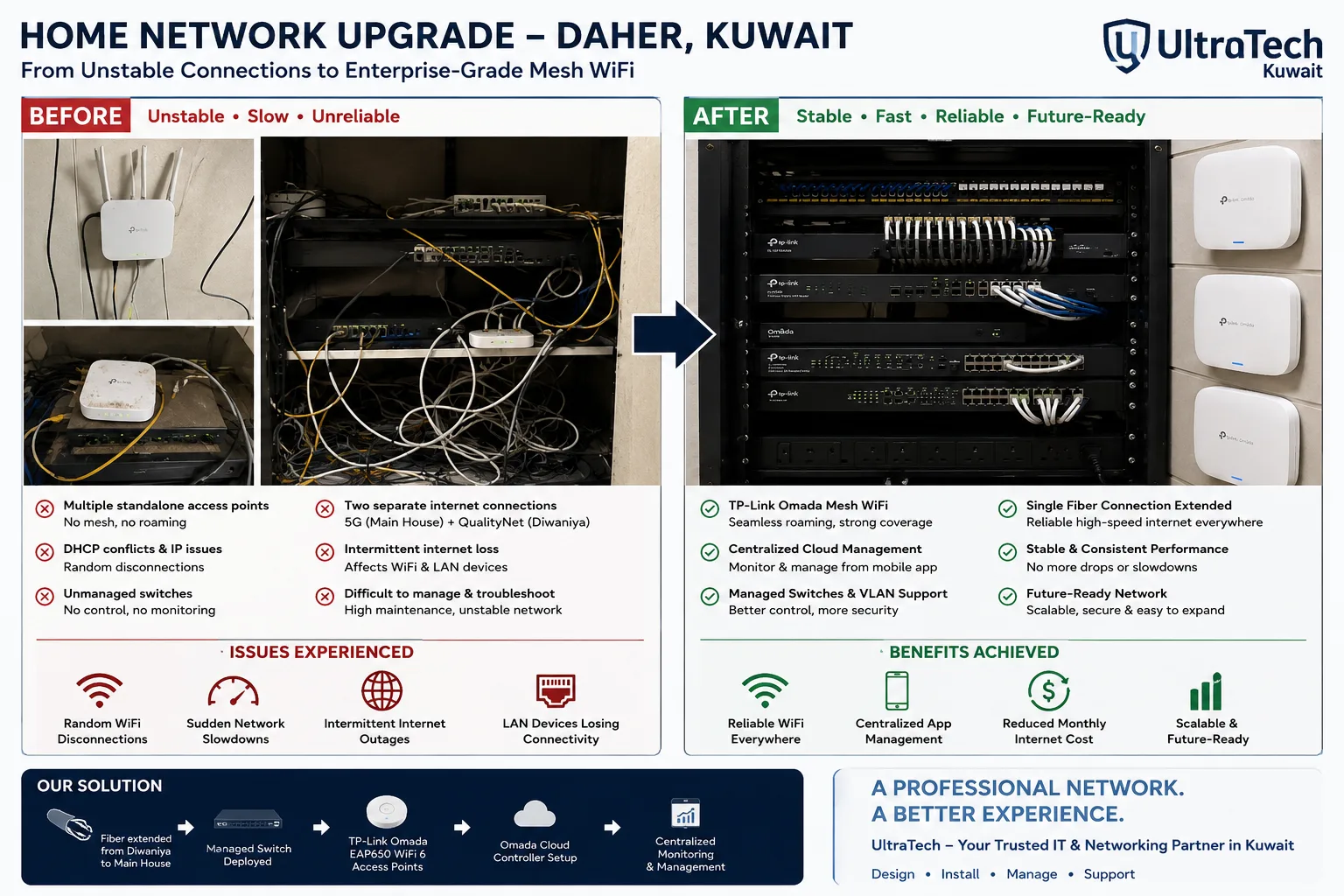 Two-building Omada mesh network, Daher7–8 unstable access points replaced by one managed Omada network across two buildings.Read the case study →
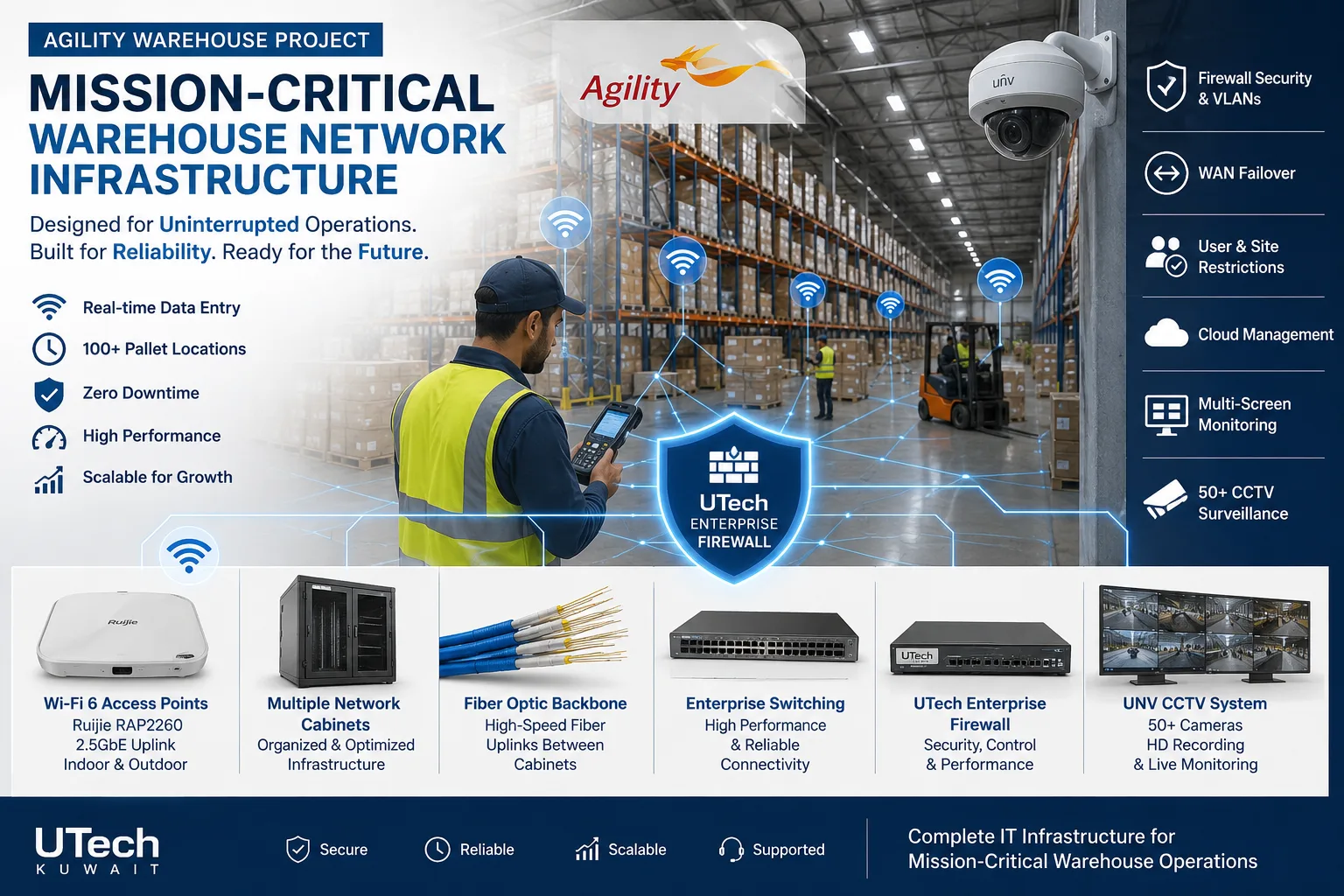 Mission-critical warehouse networkEnterprise Wi-Fi and switching for a major logistics operator's warehouse in Kuwait.Read the case study →
Who does the work
The delivery team behind every project, from our team page.
How does a network migration run on the night?
The cut-over sequence we follow, so the office opens normally the next day.
- 01Backup of current configs
- 02New firewall in place
- 03Core and access switches swapped
- 04Wi-Fi moved to new controller
- 05Tests on every floor
- 06Morning check with your team
Standards and specifications
Configuration
Everything pre-built and tested on the bench before site.
Rollback
Old equipment kept ready until the new network is signed off.
Firewall
Rules documented, cleaned and migrated; VPNs rebuilt and tested.
Segmentation
Staff, guests, voice and cameras separated as part of the upgrade.
Cabling
Existing runs tested; faulty ones replaced and labelled.
Documents
Drawings, port map, IP plan and admin passwords at the end.
Which equipment do we install?
 FortiGate 70G Next-Generation FirewallFortinet · Next-Generation Firewall (NGFW)We supply and install →
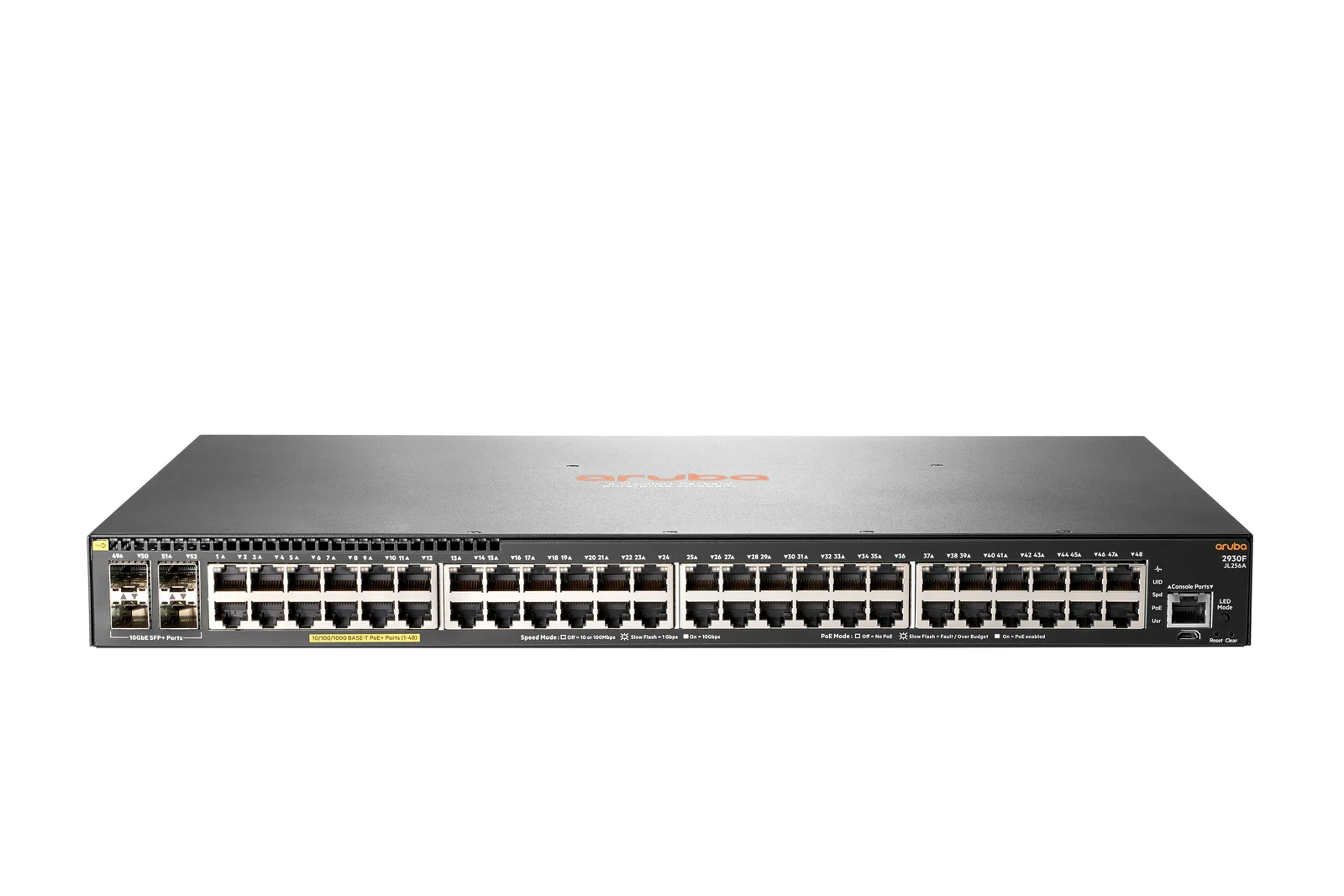 Aruba 2930F 48-Port Gigabit PoE+ SwitchAruba Networks · Aruba Network SwitchesWe supply and install →
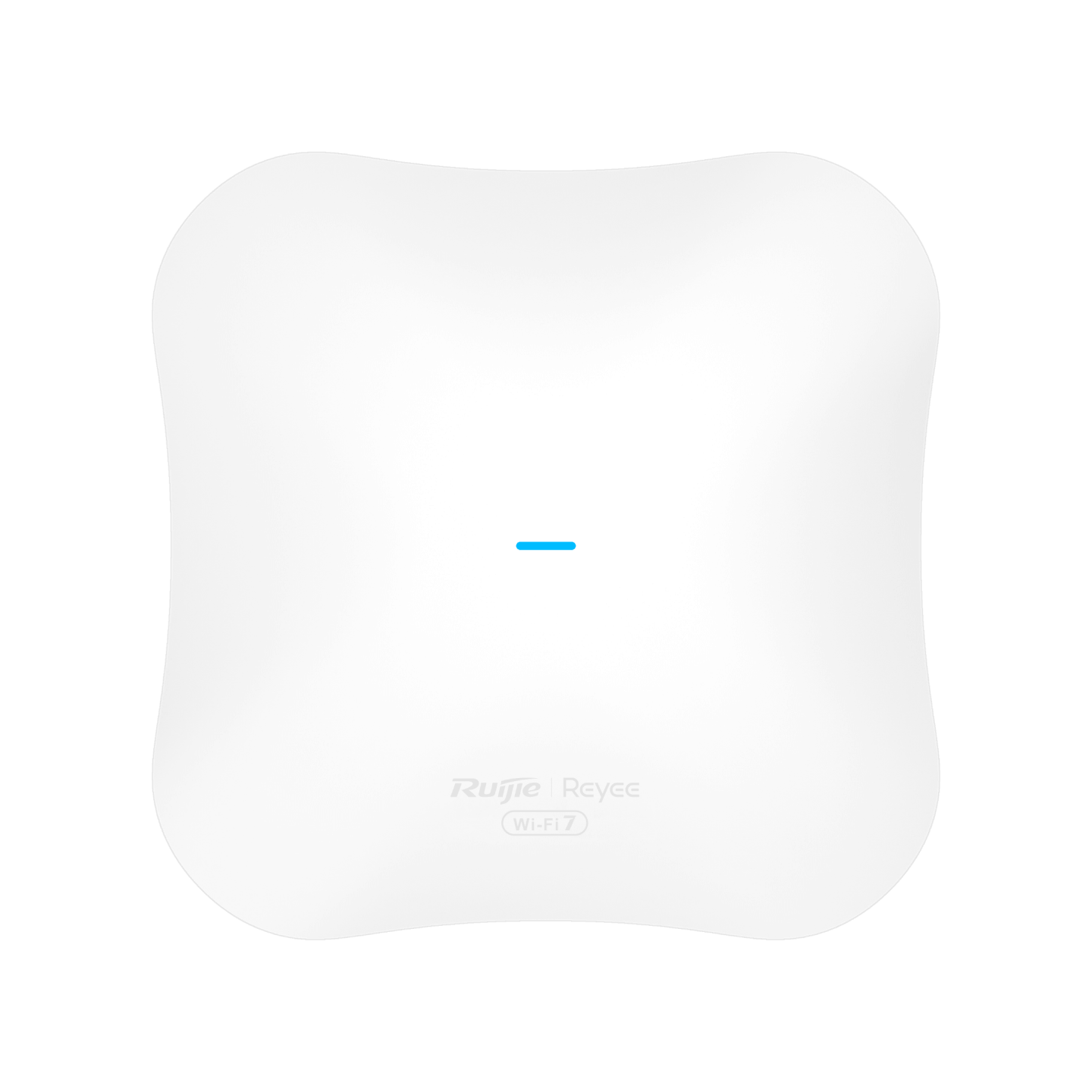 Ruijie Reyee RG-RAP72Pro WiFi 7 Dual-Band Ceiling Access PointRuijie Reeye · Indoor Wi-Fi Access PointsWe supply and install →
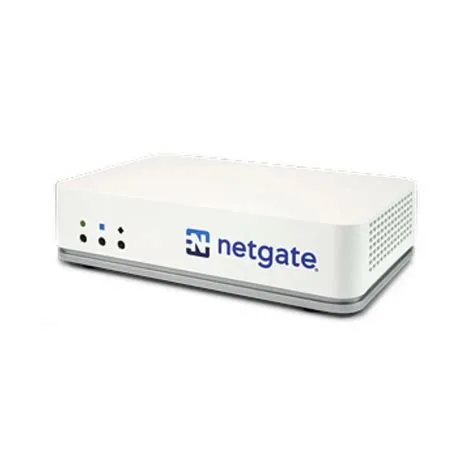 Netgate 2100 MAX pfSense+ Security GatewayNetgate · FirewallWe supply and install →
Upgrade and lifecycle terms, explained
- End of sale (EoS)
- The manufacturer stops selling the model; it is still supported for some years.
- End of support / end of life (EoL)
- No more fixes or security updates; the equipment keeps working but becomes a risk.
- Firmware
- The software inside a switch, access point or firewall; updates close security holes.
- Staging
- Configuring and testing new equipment before it replaces the old, so the change is quick.
- Cut-over
- The planned moment the old equipment is swapped for the new, usually after hours.
- Rollback plan
- The written way back to the old setup if anything goes wrong during the cut-over.
- Hypercare
- Extra support in the first days after a change, while users settle on the new network.
Keep exploring
Book a site visit and get a written quote
20 KWD, deducted from your invoice when you go ahead. We reply within working hours.